

Use Cases:
- Gain visibility into applications installed on employee devices to support upgrade planning, standardization, and compliance with standards such as ISO 27001, PCI-DSS, and HIPAA.
- Identify and remove unauthorized applications (e.g., file sharing tools, insecure chat softwares).
- Rapidly detect applications containing critical vulnerabilities to ensure timely removal and minimize the risk of endpoint compromise.
Feature Details
View Installed Software
Administrators can review the software installed on any device by following these steps:1
2
3
View installation details
Here, you can view the complete list of software installed on the device or search for specific softwares.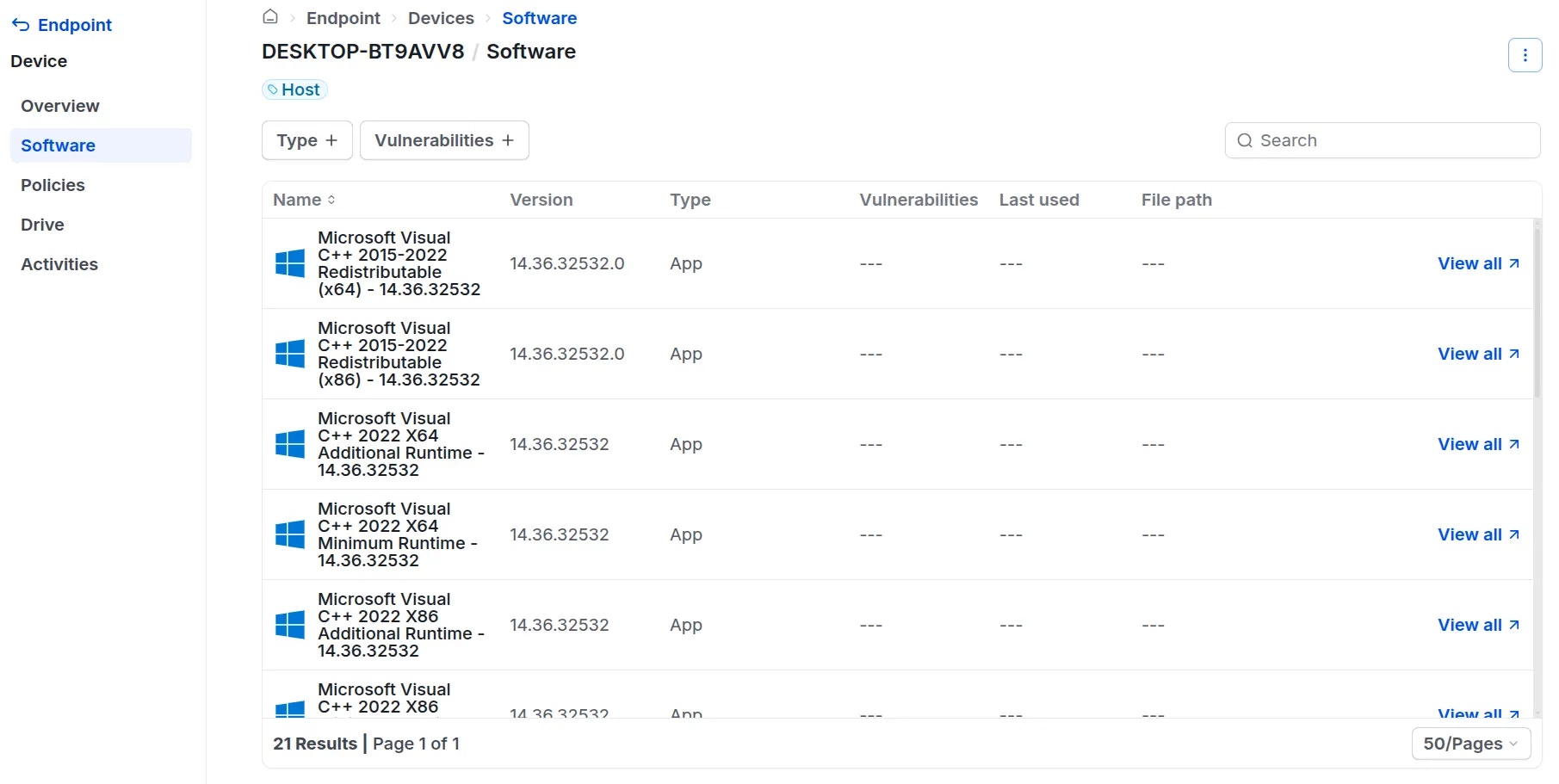
Block Software
To block a specific application, Administrators should perform the following steps:1
2
3
Configure blocking rules in the policy creation screen:
- Path: The file path to the application on the device. You can use operators such as
equals,contains,starts with, orends withto target the specific software. - Hash: The cryptographic hash of the software (using SHA-256). You must enter the correct hash value to effectively block the application.
- Process Name: The name of the process when the software is running. You can use operators such as
equals,contains,starts with, orends withto target the software.
How to find process names on Windows:
How to find process names on Windows:
1. Typically, the process name matches the software name. Administrators can try entering the software name into the
Name field.2. If blocking is unsuccessful, the process name may differ from the software name. To find the correct process name:- Open the software you wish to block.
- Open Task Manager locate the running software.
- The process name listed there is the value required for the policy.
- Signature: You can choose to block unsigned software (including software that is unsigned, self-signed, or not certified by a trusted organization).
Note: Signature verification does not apply to the Linux operating system.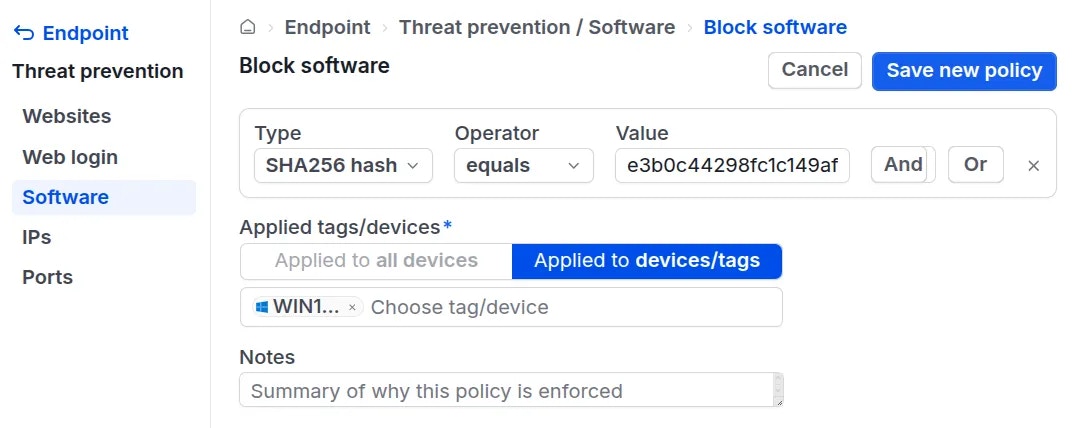
4
You can combine multiple rules to create a comprehensive blocking policy using
AND and OR logic:AND: Groups two or more rules together. The software is blocked only when all rules in the group are met.OR: Connects rules or rule groups. The software is blocked if at least one connected rule or rule group is met.
5
6
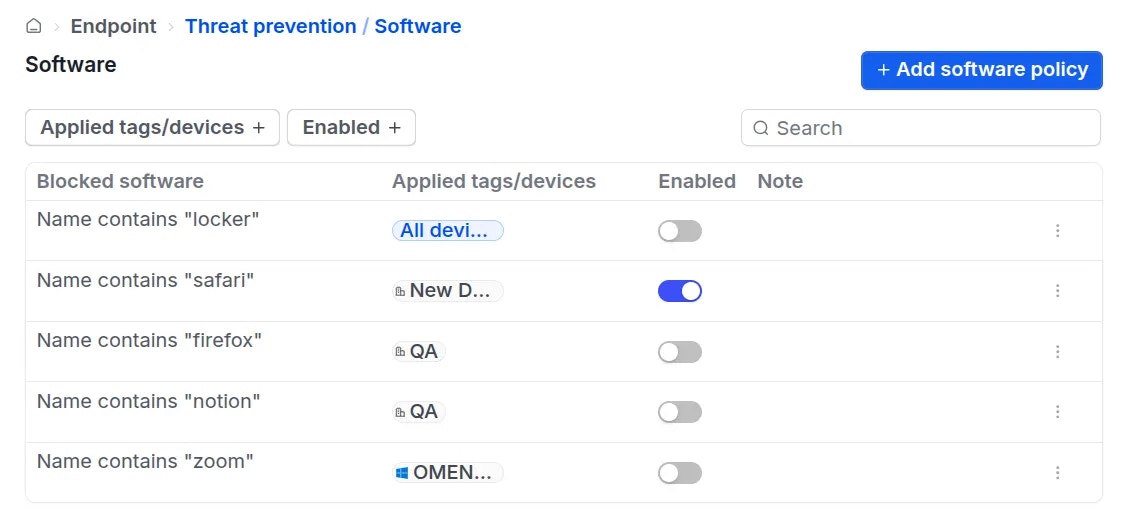
Administrators can temporarily disable, edit, or delete existing policies as needed.