

Note: Currently, Endpoint Server only supports Linux.
System Requirements
General Notes:
- The server needs a public IP address.
- Do not press Ctrl+C during the installation process.
- Open the ports to connect to CyStack API: 80, 443, 9900.
Managing fewer than 100 devices
If system dependencies (Redis, MySQL) are installed directly on the server, the following minimum specifications are required:Managing 100–1000 devices
Scenario 1: If system dependencies (Redis, MySQL) are installed directly on the server, the following minimum specifications are required:
Scenario 2: If system dependencies (Redis, MySQL) are deployed within containers, the minimum container configuration requirements are as follows:
Installation
The installation process for CyStack Endpoint can be automated using the endpointCtl binary utility.1
Download the installation tool


2
Grant execution permissions for the installer
3
Run the installer
4
Select installation method
Option 1: Use default configuration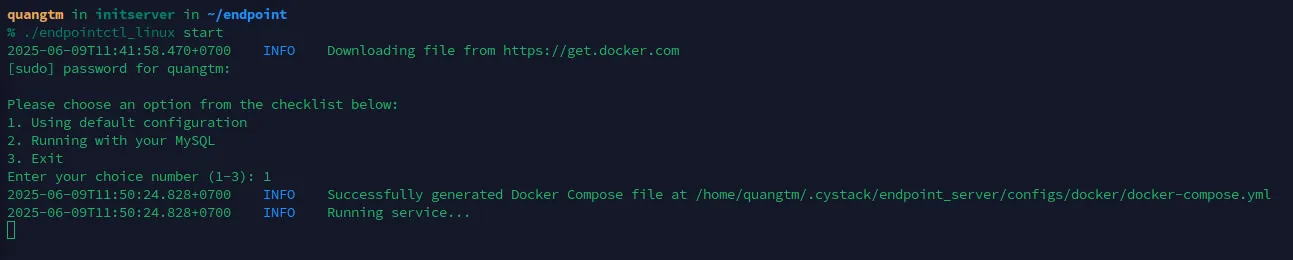
- The system will automatically create the database; no user intervention is required.
- Input
1and pressEnter.
MySQL installation- Input
2and pressEnter. - Have the following information ready:
5
Enter Workspace Credentials
After MySQL is configured, the system will request the following details:(These credentials will be provided by CyStack).Estimated completion time: 3–10 minutes (depending on server specifications).
Upon completion, the program will display a list of active services.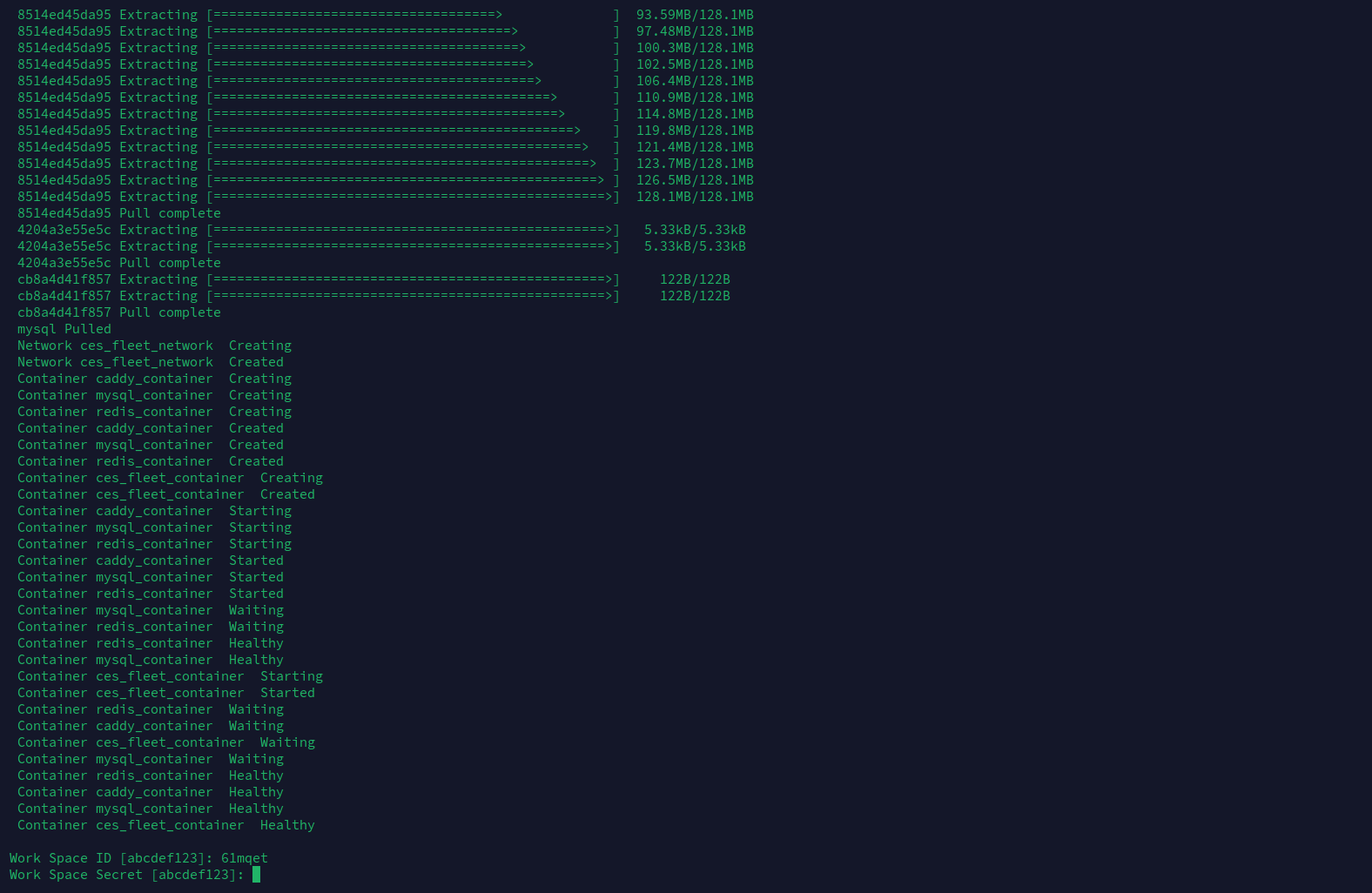
6
Post-Installation
✅ Verify the agent fileUpon completion, the agent file is generated automatically:✅ Configure automatic updatesRun the following command:
Using endpointctl
Command Reference
Troubleshooting
❌ Container reports “Unhealthy” status
- Cause: Insufficient server resources or database configuration errors.
- Resolution:
-
Check container logs:
-
If migration is complete Restart the process:
- If database errors persist Delete the config and reinstall from scratch.
-
Check container logs:
⚠️ Missing configuration error
Run./endpointctl start to generate the root configuration file, then edit and reuse it.
⚙️ Backup process takes too long
This is typically due to limited server resources. Please wait patiently for the process to complete.🔑 Token retrieval error
Please contact CyStack Support.🌐 Domain Error (Caddy)
-
Check the logs:
-
If:
- The domain does not point to the correct IP Update DNS records.
- The domain has reached SSL limits Switch to a different domain.