

Web Access Control
Use Cases:
- Block access to social media or entertainment sites during business hours to help employees stay focused.
- Restrict access to sensitive internal portals to authorized personnel only, prevent unauthorized access to internal resources.
Block Websites by Category
The solution provides predefined categories, enabling administrators to quickly configure blocking rules for common website types. To restrict employee access to websites within specific categories, follow these steps:1
2
3
4
Save the policy:
Once saved, the selected devices will be denied access to any websites falling under the selected category.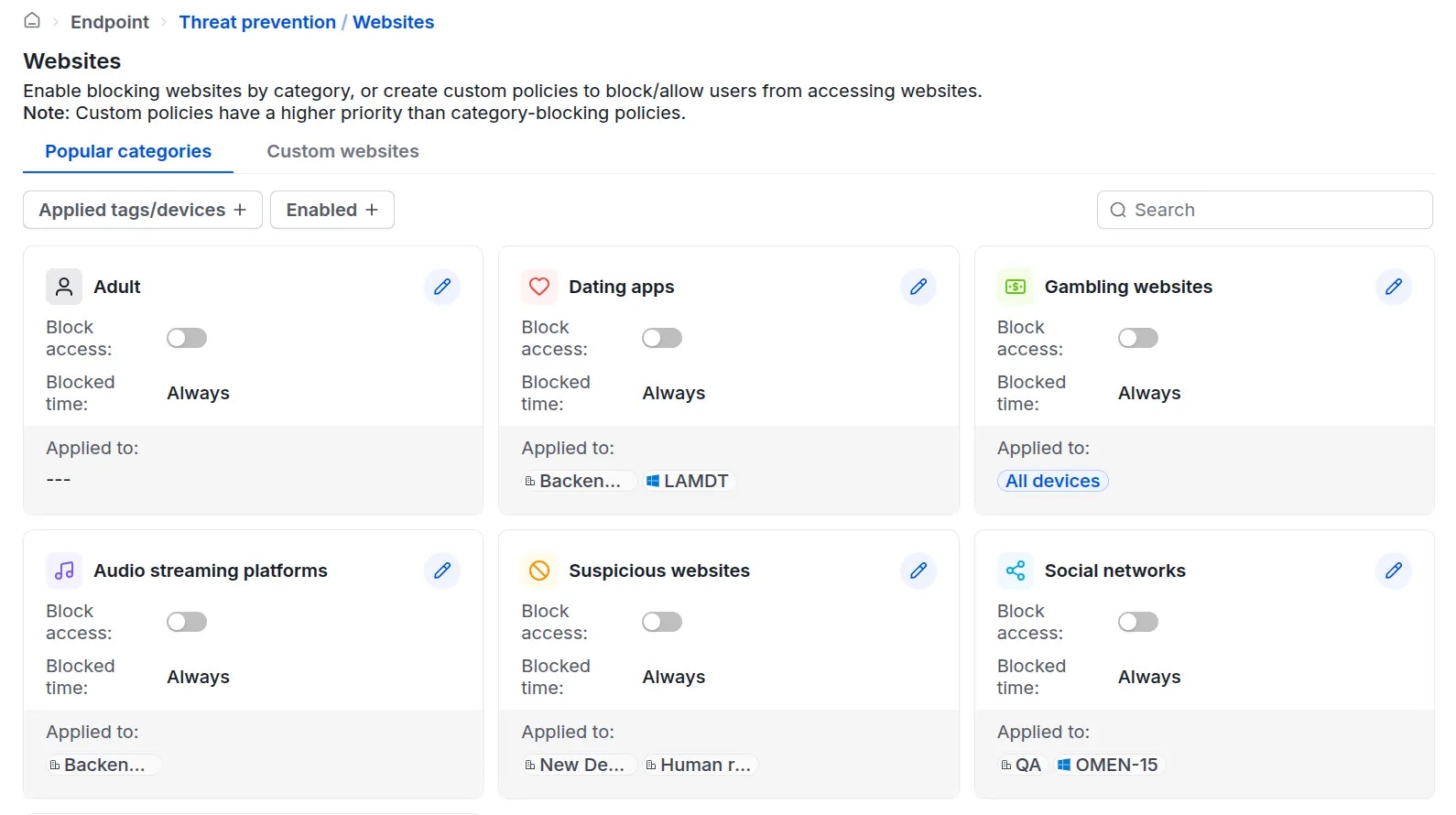
Allow or Block Specific Websites
In addition to category-based filtering, administrators can explicitly block or allow access to specific domains. For example:- Grant specific Marketing staff access to TikTok for brand development, while blocking social media access for the rest of the organization.
1
2
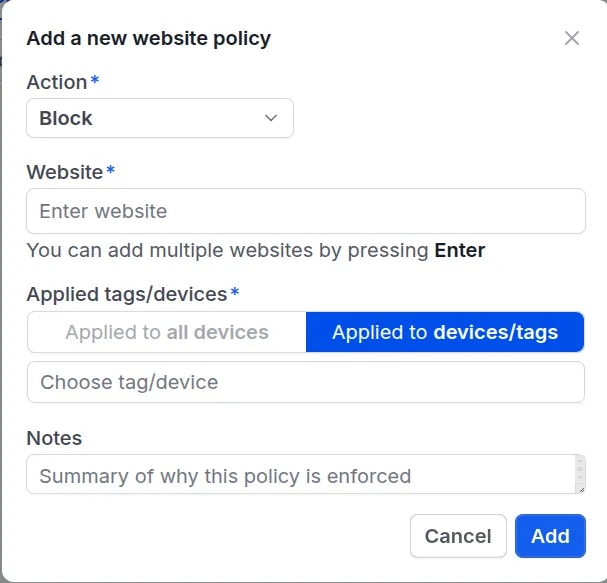
3
After creation, you can arrange the priority order of the policies. The lower the number, the higher the priority.
Example:
- Device
ping-PCwith the tag Dev has a “Block facebook.com” policy with a priority of 2. - However, the same
ping-PCdevice also has the tag Lead, which has an “Allow facebook.com” policy with a priority of 1. Theping-PCdevice will be allowed to access facebook.com.