

Use Cases
- Developers need access to Git servers to perform
git pull/clone/pushoperations, while access must be restricted for non-development personnel. - SRE Team members need SSH/RDP access to specific servers without exposing these resources to other employees.
- You need to host internal web applications that must remain inaccessible to the public internet.
- You want to eliminate the complexity of configuring traditional VPNs, enabling rapid internal network access while reducing latency bottlenecks associated with centralized gateways.
Overview
Passport is a core module of CyStack Endpoint, designed to secure internal networks and endpoints using a Zero Trust Network Access (ZTNA) model. Passport leverages the architecture of Tailscale — a virtual private network (VPN) built on WireGuard — to ensure secure connectivity, end-to-end encryption, and granular access control between devices within a system. Passport enables organizations to:- Securely interconnect endpoints over a private mesh network.
- Enforce robust authentication based on device and user identity.
- Apply flexible, context-aware access control policies.
- Monitor and log all network activity.
Solution Architecture
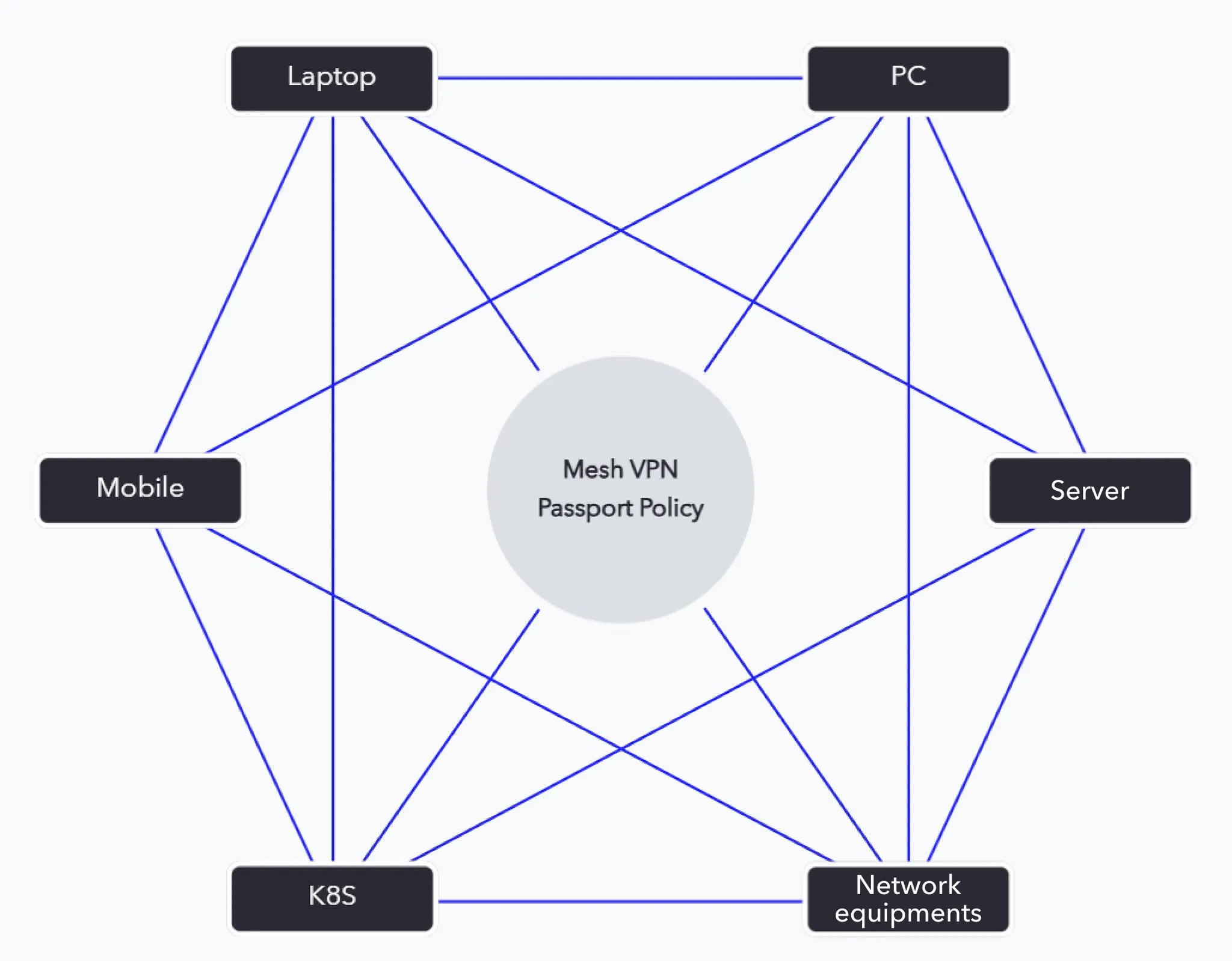
1. Endpoint Devices
- Laptops, mobile devices, servers, or any asset requiring protection and management.
- The CyStack Endpoint agent is installed, automatically joining the private Passport network.
- User authentication is handled by Identity Providers (Google Workspace, Microsoft Entra ID, Okta, etc.).
2. Tailscale Control Plane
- The central SaaS management layer for Passport.
- It does not transport user traffic, only coordinates peer-to-peer connection establishment.
- Responsibilities include:
- Device authentication.
- User authentication.
- Distribution of ACL (Access Control List) policies.
3. Data Plane (Peer-to-Peer Encrypted Mesh VPN)
- Utilizes WireGuard for end-to-end encryption.
- Data flows directly between devices without passing through a centralized server.
- Leverages NAT traversal and relay servers (DERP) from Tailscale when necessary.
4. Passport Policy Engine
A specialized policy layer layered atop Tailscale:- Groups devices by role (e.g., Employees, Administrators, Servers, CI/CD Runners).
- Defines granular access permissions (Block or Allow specific services, ports, or devices).
- Integrates with SIEM/SOC solutions for logging and alerting.
5. Identity Provider (IdP)
- Integrates with the enterprise’s existing authentication infrastructure.
- Supports Single Sign-On (SSO) and Multi-Factor Authentication (MFA).
6. Monitoring & Logging
- Passport logs all activity within the network.
- Feeds data into security monitoring systems (SIEM) for behavioral analysis and early intrusion detection.
Identity and Device Control
A fundamental capability of Passport is the tight binding between users and their managed devices, creating a foundation for context-aware security policies.- Upon device registration, Passport assigns ownership identity based on the authentication process.
- The system maintains a dynamic user-to-machine map, ensuring visibility into asset ownership across the organization.
- Security policies are enforced based on this relationship:
- Access rights can be granted or restricted based on the owner, not just the device.
- Example: Only devices belonging to the Finance group are permitted to access the internal accounting system.
- Policies update automatically if device ownership changes or user access is revoked, minimizing risk and maintaining compliance.
- Activity logs capture both device and user context, facilitating more effective incident investigation and security analysis.
Access and Security Policies
Enterprise policies are categorized into two types:- Machine-to-machine policies: Define connectivity rules from a source device to a destination device.
- User-to-machine policies: Define connectivity rules for devices owned by a specific employee to a destination device.
Adding a Policy
1
2
3
4
5
Choose the connection ports.
Examples:
DNS (53), FTP (21), HTTPS (443), SSH (22), Telnet (23), etc.6
Configure time-based policies (Optional)
To enforce the policy only during specific hours, select 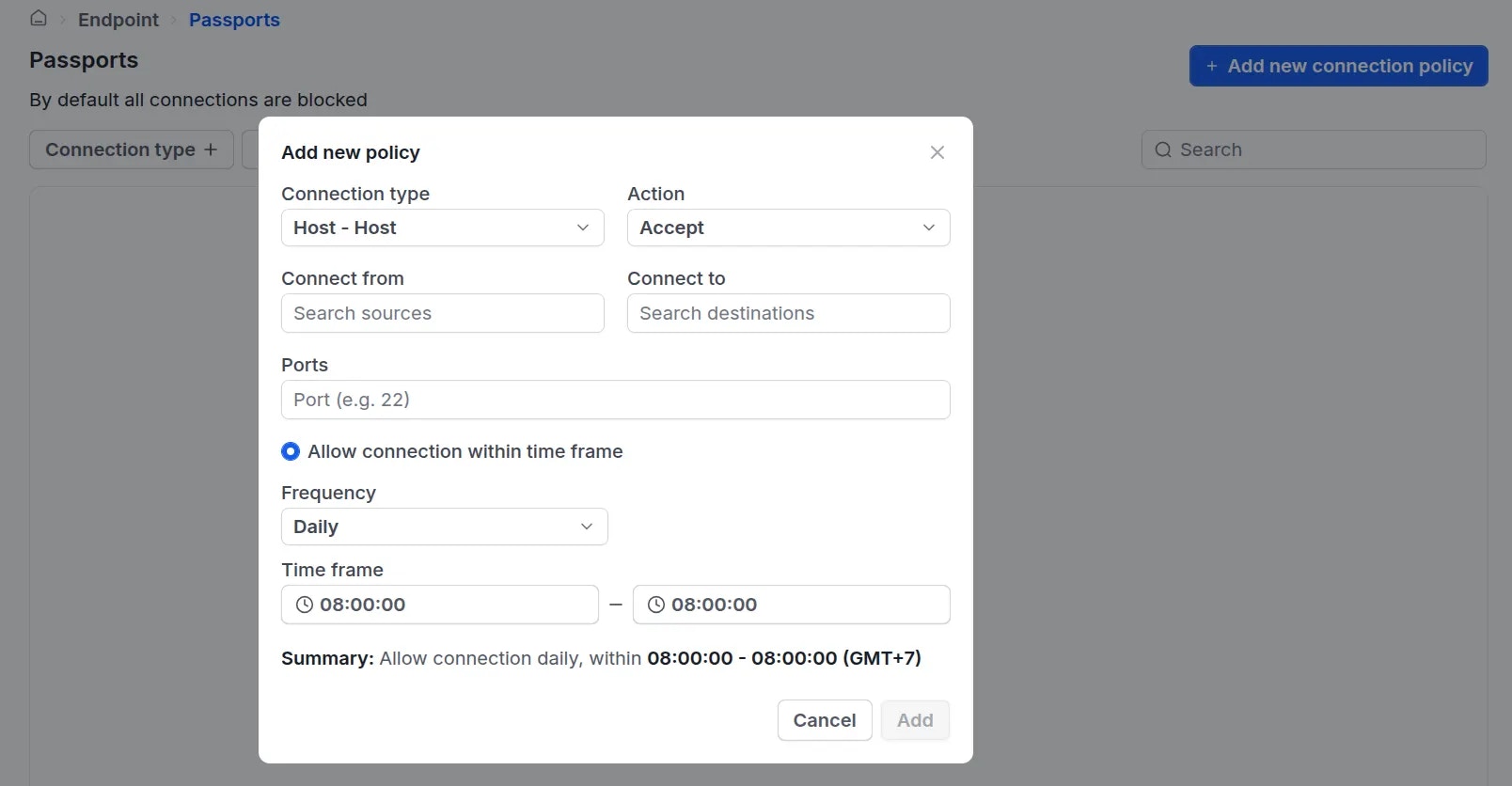
Allow connection within time frame define the frequency and specific time window.7
Note: By default, all connections are blocked. Therefore, administrators must explicitly create an
Allow policy using the steps above to enable connectivity between users and devices, or between devices.