

Use Cases:
- Asset Management: Gain full visibility into all company-issued devices, including operating system details and hardware configurations, to facilitate inventory statistics and upgrade or replacement planning.
- Lost Device Tracking: Identify the last known location of lost or stolen devices to assist IT teams in recovery efforts.
- Software Compliance: Monitor installed software versions to ensure compliance with licensing agreements and prevent the installation of unauthorized or pirated applications.
View Device List
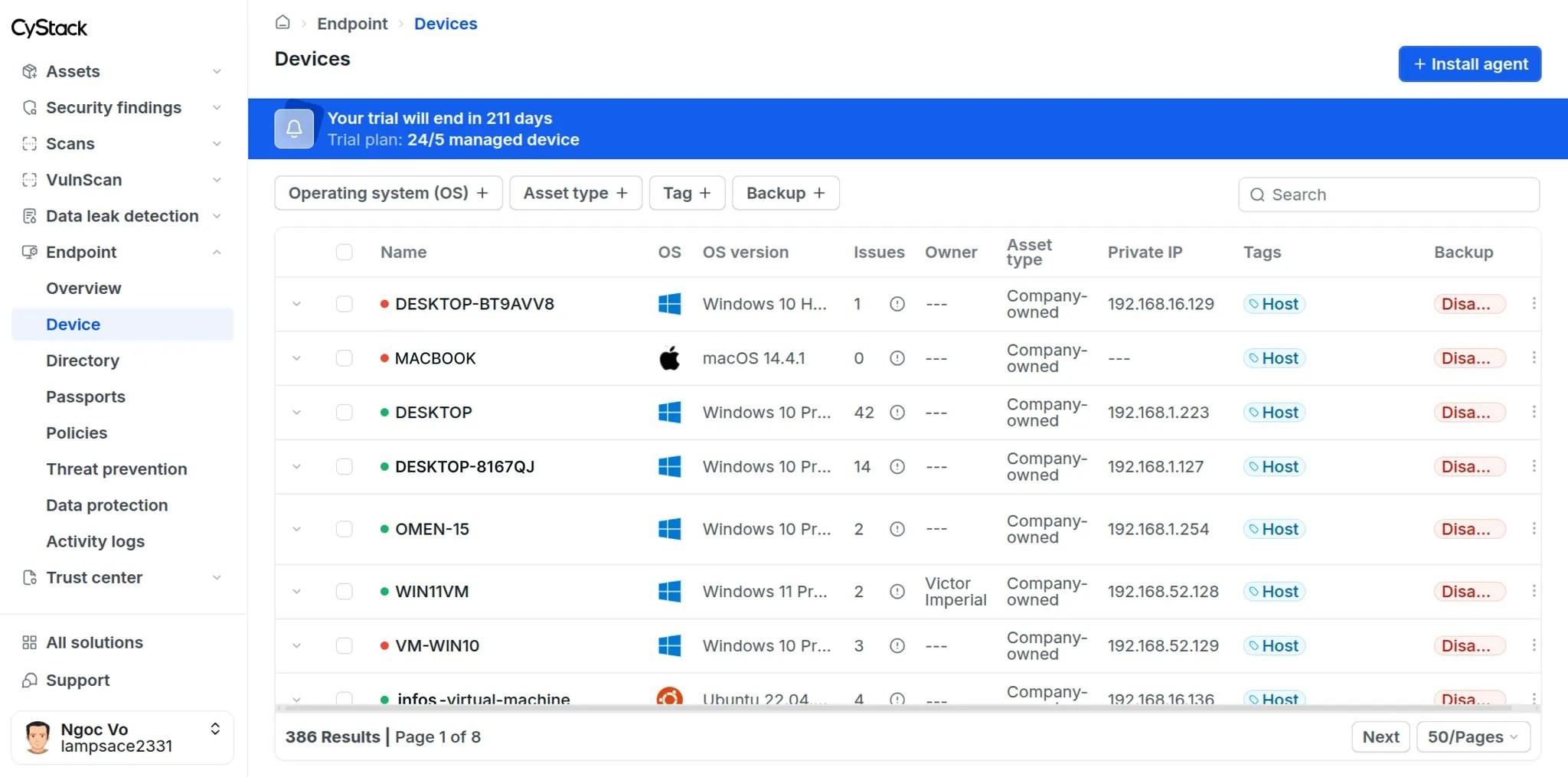
Administrators can view the list of all devices by navigating to Endpoint Device from the left sidebar. The information provided in the device list enables administrators to quickly assess:- The number of managed and unmanaged devices detected within the organization’s network.
- Critical information regarding hardware specifications and device activity status.
- Major violations associated with each device (e.g., policy non-compliance, critical vulnerabilities in installed software).
Individual Device Information
To view specific information for a device, click on the target device in the list view. You can select theView details button to access comprehensive data for that device.
Overview
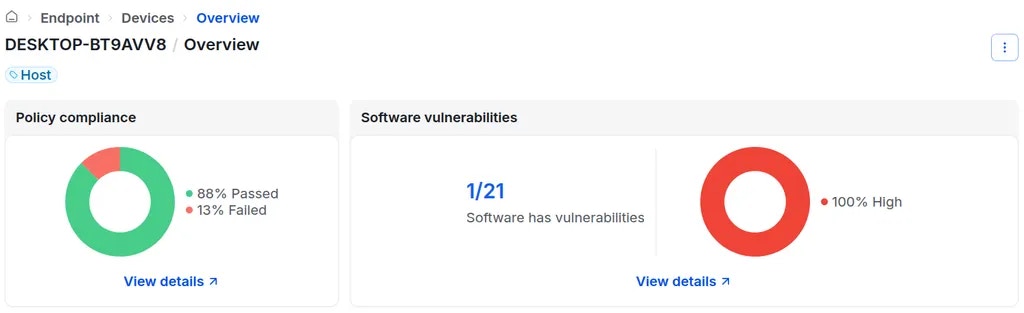
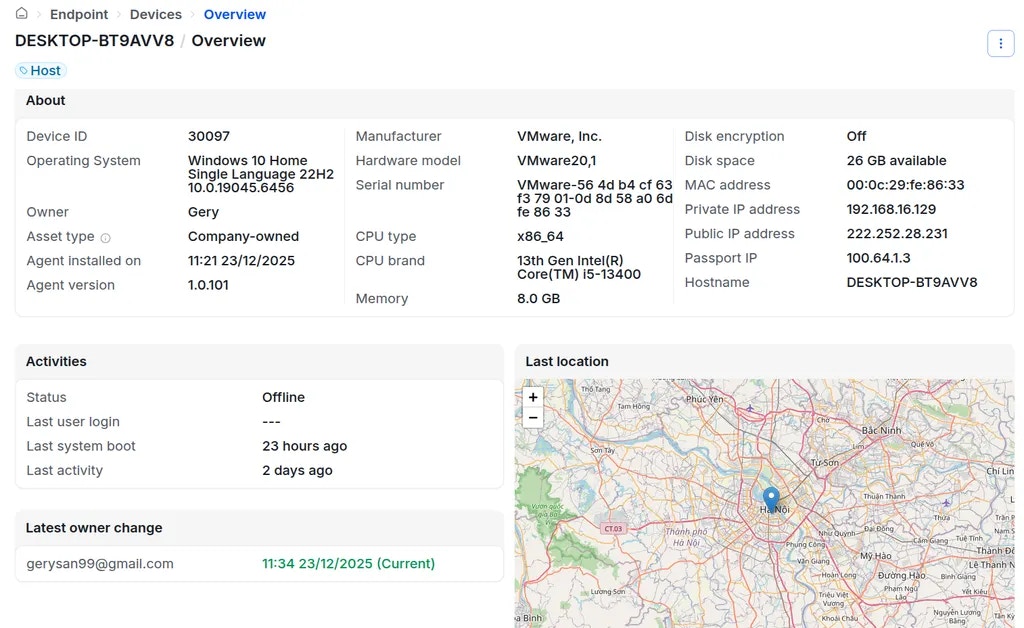
Detailed information is logged for every device with the agent installed, allowing Workspace Owners and Administrators to monitor the device’s security posture, activity status, and hardware specifications. To view device details, navigate to Device Management Devices click on the desired device selectView details.
Key information includes:
-
Charts displaying policy compliance status and detected software vulnerabilities.
-
Detailed information about Endpoint agent installation, hardware, activity status, device owner, and last known location.
Inspect Installed Software
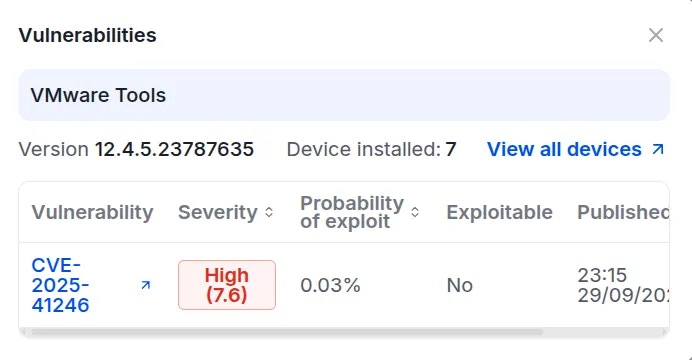
To inspect software installed on the device, navigate to the Software tab. Workspace Owners or Administrators can review the list of applications installed on each device to identify software containing vulnerabilities or applications that are prohibited by organizational policy.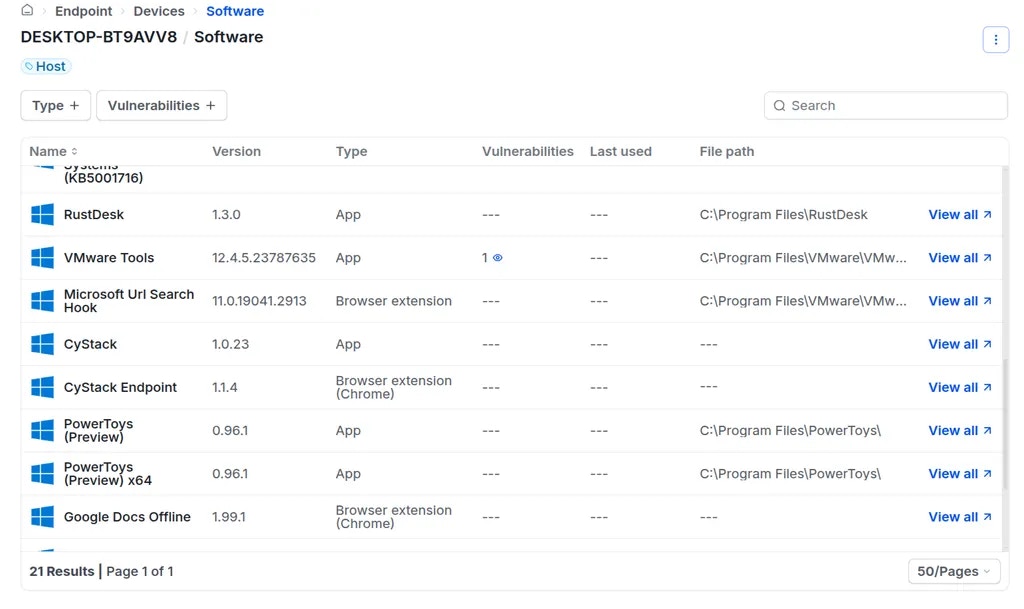
Check Device Policy Compliance
To review the device’s adherence to security policies, navigate to the Policies tab. This feature allows workspace ** Owners** or Administrators to view the specific compliance status of a device, including the policy name and the compliance result (Passed or Failed).Check Device Activity Logs
To review the device’s activity history, navigate to the Activities tab. The activity log records actions performed by organization users on the specific device. Recorded activities include:- User login events
- User logout events
- Remote access sessions