Use Cases
  • In the event of a hard drive failure or device theft, you can retrieve the latest data snapshot to minimize downtime and get employees back online quickly.
  • If data is encrypted by ransomware or files are maliciously deleted, clean data can be restored from previous backups, mitigating business impact.
  • When provisioning new devices or during employee transitions, critical data can be seamlessly transferred to the new hardware.
To back up business data, users must first configure a storage repository. Currently supported repositories include AWS S3, with Google Drive support coming soon. Follow the instructions below to configure your storage repository and initiate data backup.

Backup via AWS S3 Storage

AWS Configuration for CyStack Endpoint

  • Prerequisites: Ensure you have an account with appropriate permissions for IAM and S3 services. Generate a security key and run the following command to configure AWS CLI credentials, enabling the CLI to interact with AWS services:
    aws configure
    
  • Replace the placeholders [USER_NAME], [REGION], [ACCOUNT_ID], [BUCKET_NAME], [ROLE_NAME], and [POLICY_NAME] with your actual values.

1. User

1

Create a new user:

aws iam create-user --user-name [USER_NAME]
2

Create an access key for the user:

aws iam create-access-key --user-name [USER_NAME]
3
{
    "AccessKey": {
        "AccessKeyId": "AKIA...",
        "SecretAccessKey": "wJalrX...",
        ...
    }
}
4

Verify user information:

aws iam get-user --user-name [USER_NAME]
5

Save the user arn from the output:

{
    "User": {
        "Path": "/",
        "UserName": "[USER_NAME]",
        "UserId": "AIA...",
        "Arn": "arn:aws:iam::[ACCOUNT_ID]:user/[USER_NAME]",
        "CreateDate": "2025-04-22T04:30:31Z"
    }
}

2. Bucket

1

Create a new bucket:

aws s3 mb s3://[BUCKET_NAME]
2

Enable versioning:

aws s3api put-bucket-versioning --bucket [BUCKET_NAME] --versioning-configuration Status=Enabled
3
The AWS value is the user ARN value in the previous section.
{
    "Version": "2012-10-17",
    "Id": "Policy1745394942216",
    "Statement": [
        {
            "Sid": "Stmt1745394940328",
            "Effect": "Allow",
            "Principal": {
                "AWS": "arn:aws:iam::[ACCOUNT_ID]:user/[USER_NAME]"
            },
            "Action": [
                "s3:ListBucket",
                "s3:ListBucketVersions"
            ],
            "Resource": "arn:aws:s3:::[USER_NAME]"
        }
    ]
}
4

Attach the policy to the bucket:

aws s3api put-bucket-policy --bucket [BUCKET_NAME] --policy file://bucket-policy.json --region [REGION]

3. Create Necessary Roles

1
{
    "Version": "2012-10-17",
    "Statement": [
        {
            "Effect": "Allow",
            "Principal": {
                "AWS": "arn:aws:iam::[ACCOUNT_ID]:user/[USER_NAME]"
            },
            "Action": "sts:AssumeRole"
        }
    ]
}
2
aws iam create-role ^
    --role-name [ROLE_NAME] ^
    --assume-role-policy-document file://trust-policy.json
3
{
    "Version": "2012-10-17",
    "Statement": [
        {
            "Effect": "Allow",
            "Action": [
                "s3:GetObject",
                "s3:GetObjectAttributes",
                "s3:GetObjectVersion",
                "s3:PutObject",
                "s3:ListBucket"
            ],
            "Resource": [
                "arn:aws:s3:::[BUCKET_NAME]",
                "arn:aws:s3:::[BUCKET_NAME]/*"
            ]
        }
    ]
}
4

Create and attach the policy:

aws iam create-policy ^
    --policy-name [POLICY_NAME] ^
    --policy-document file://generic-backup-policy.json
aws iam attach-role-policy ^
    --role-name [ROLE_NAME] ^
    --policy-arn arn:aws:iam::[ACCOUNT_ID]:policy/[POLICY_NAME]
5
{
    "Version": "2012-10-17",
    "Statement": [
        {
            "Effect": "Allow",
            "Action": "sts:AssumeRole",
            "Resource": "arn:aws:iam::[ACCOUNT_ID]:role/[ROLE_NAME]"
        }
    ]
}
6
aws iam put-user-policy ^
    --user-name [USER_NAME] ^
    --policy-name STSPolicy ^
    --policy-document file://central-server-policy.json

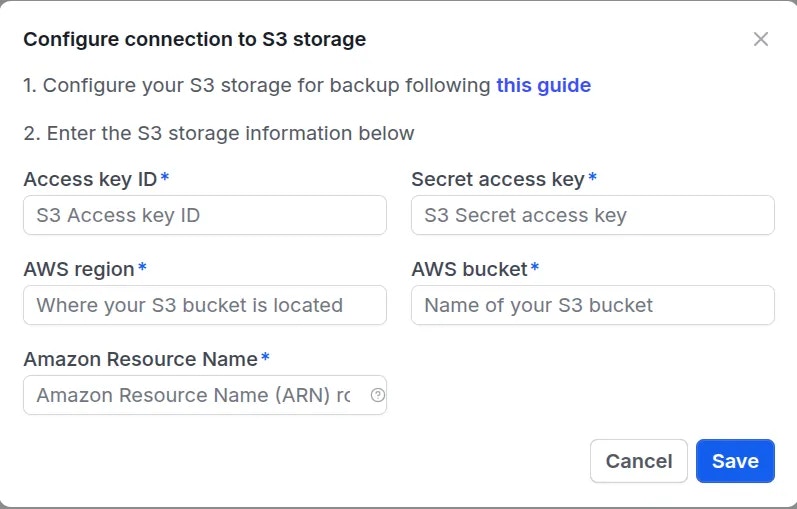
4. Configure Connection from CyStack Endpoint to Storage Repository

1
2
s3-config-1
3
s3-config-2
4
s3-config-3
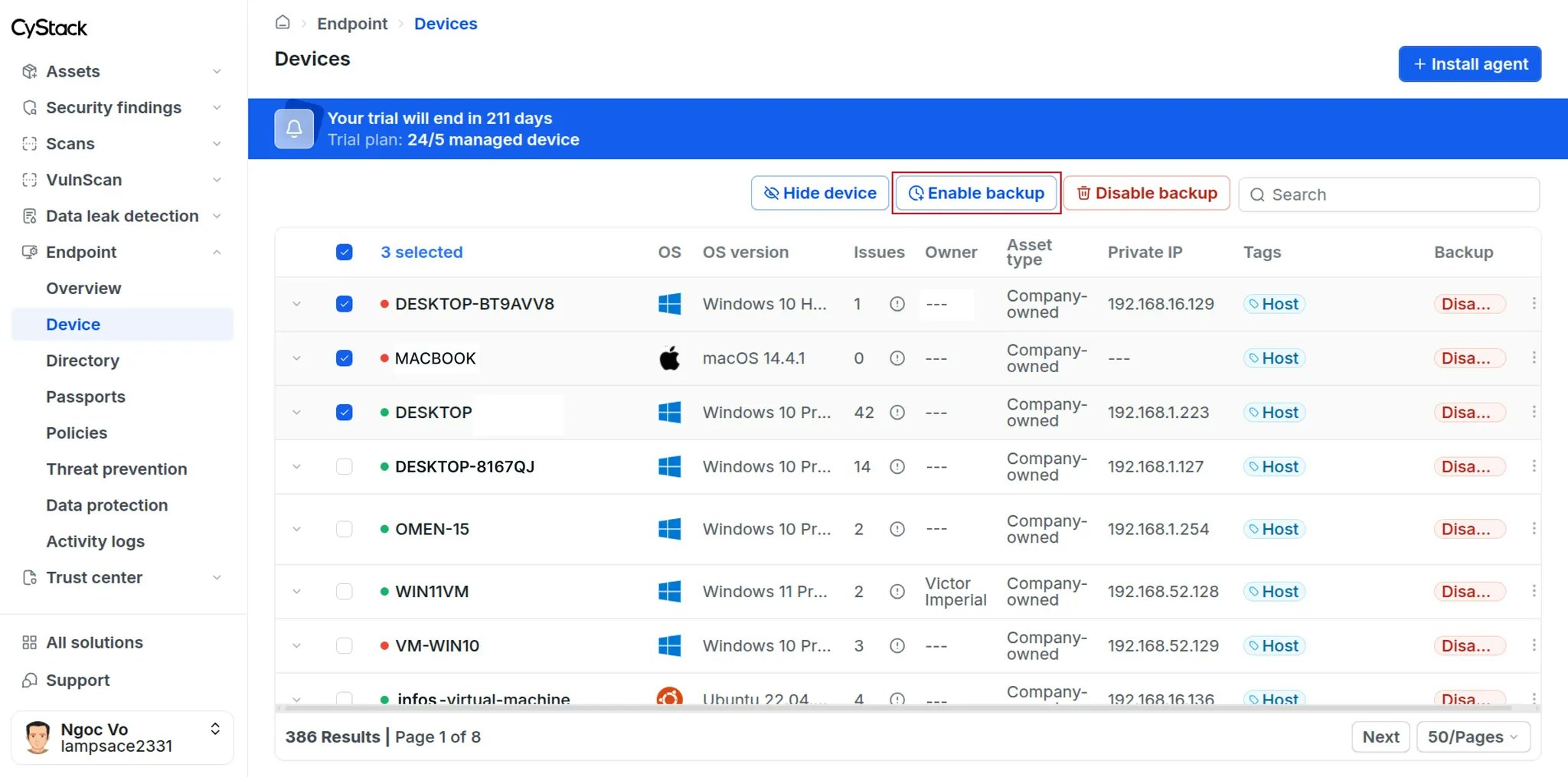
Data within the enterprise drives on selected devices will be automatically backed up every 6 hours. The backup process supports the following file types: .doc, .docx, .odt, .ott, .pages, .xls, .xlsx, .csv, .ods, .numbers, .pdf, .ppt, .pptx, .odp, .key

Data Recovery

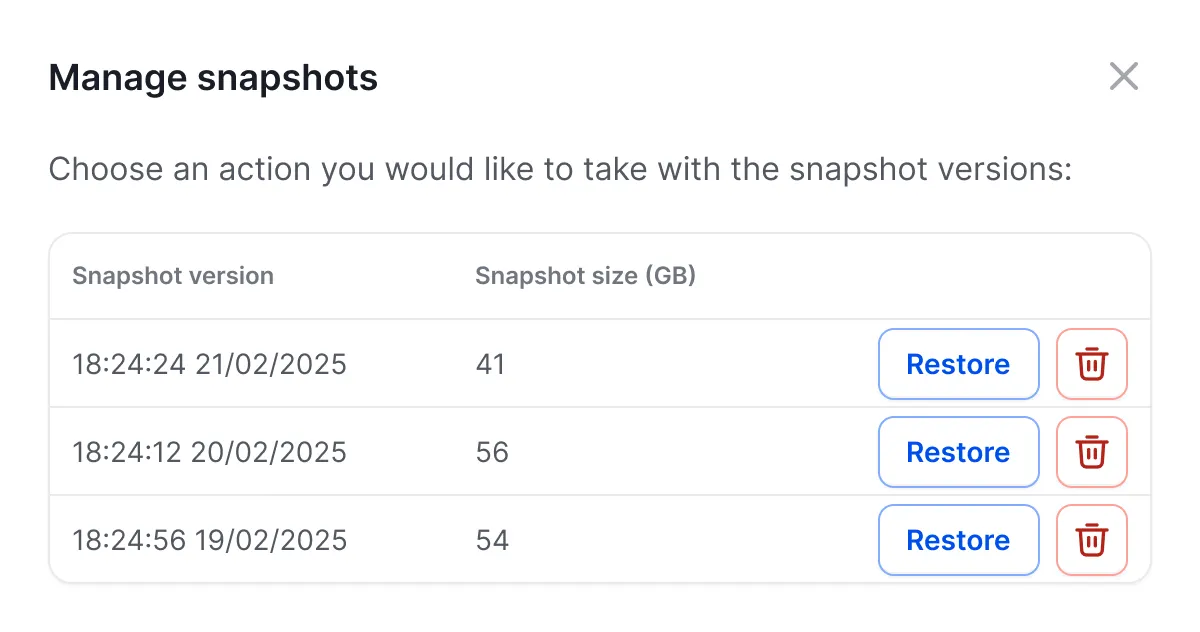
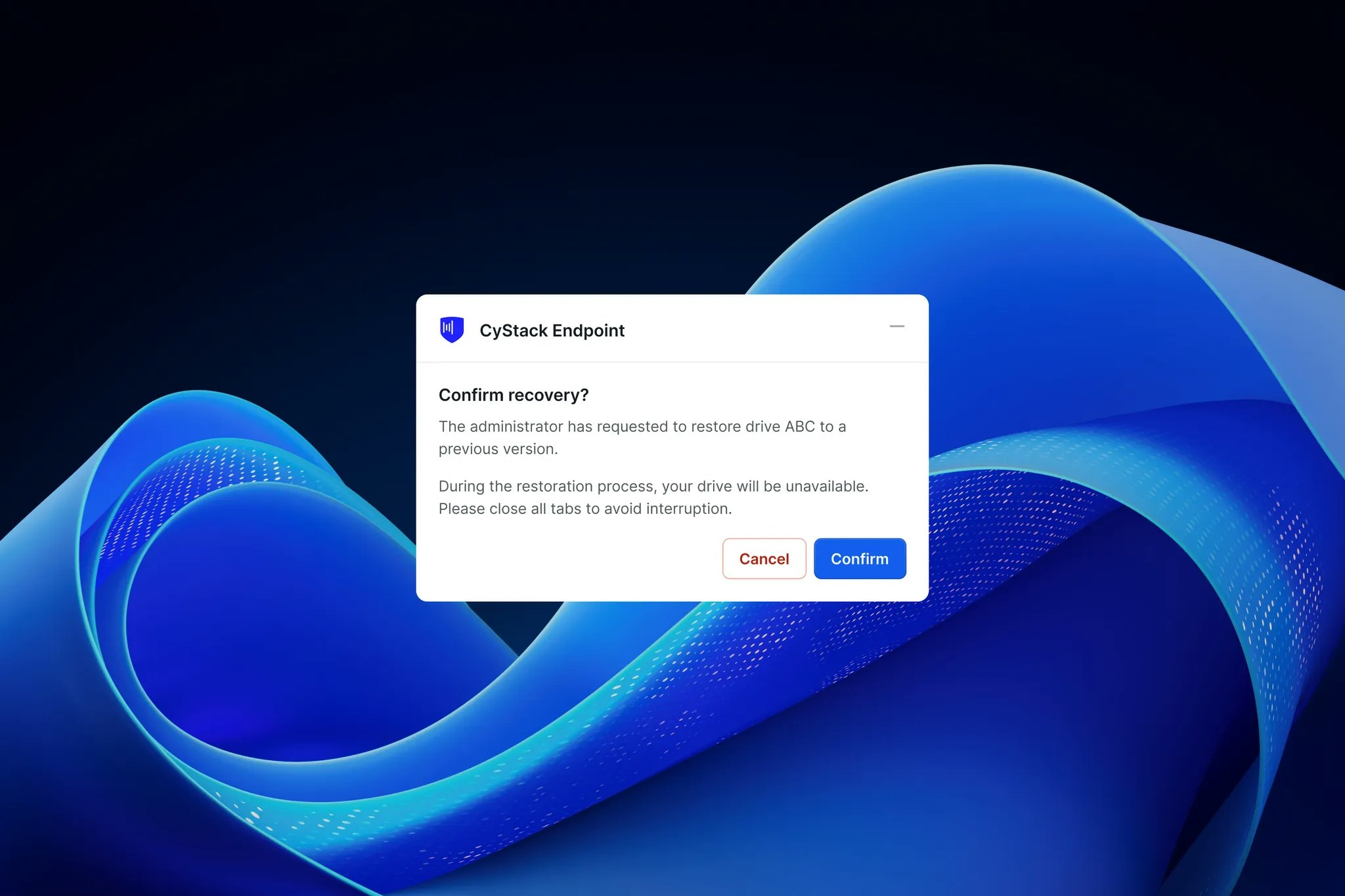
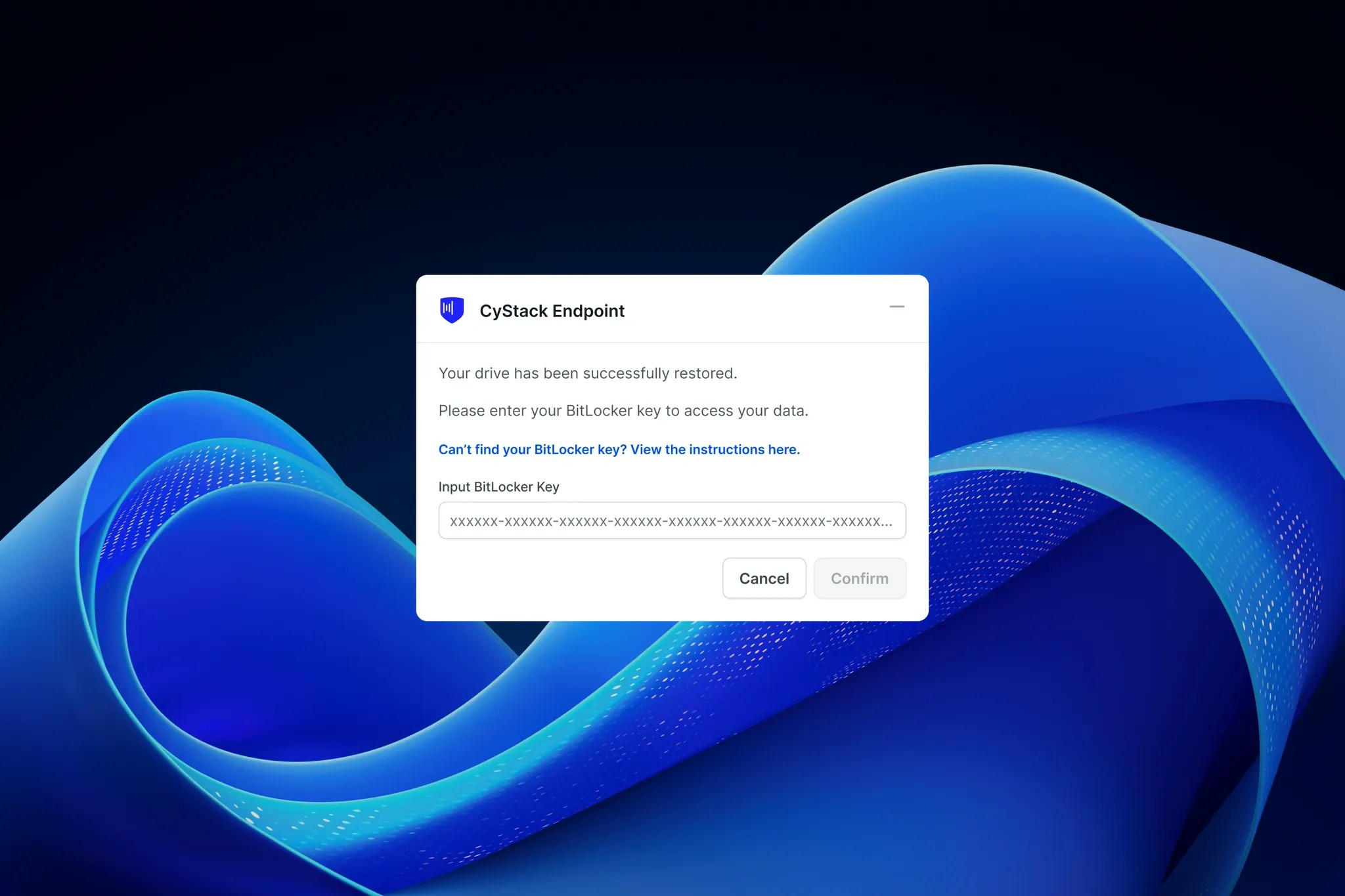
In the event of device failure or data loss due to ransomware, business users can request the Workspace Owner or Administrator to restore their data. The Owner or Administrator should follow these steps to initiate recovery:
1
restore-snapshots-access
2
restore-snapshots-manage
3
4
restore-client-confirmation
5
restore-client-bitlocker
6