Use Cases
- Department-based policy enforcement: Assign employees to specific departments to facilitate the setup and application of granular security policies tailored to organizational units.
- Enforce the principle of least privilege: Restrict permissions based on departmental roles to minimize the risk of sensitive data exposure and mitigate the impact of potential account compromises.
Create a Department
1
From the left sidebar menu, navigate to "Endpoint" → "Directory" → "Departments".
2
Hover over the workspace name and select the + icon.
3
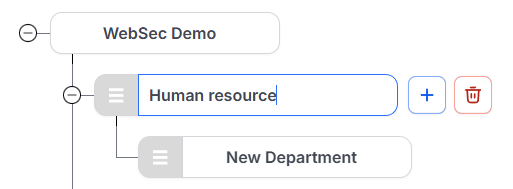
Hover over the newly created department and click on the department name to rename it.
4
Enter the new name for the department and press Enter to save changes.
5
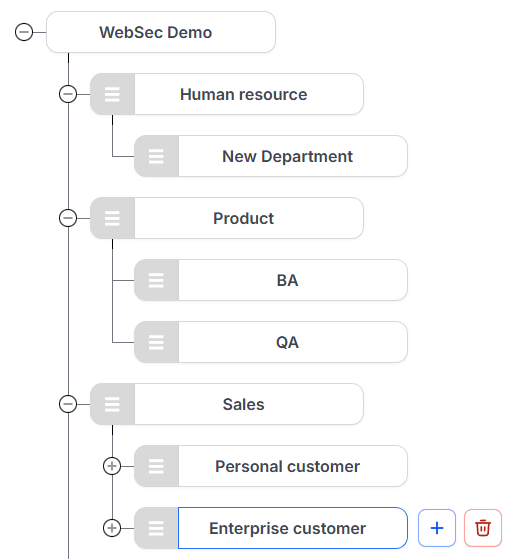
To add a sub-department or create a new department under a specific branch, hover over the parent department and select the + icon.
Rearrange Departments
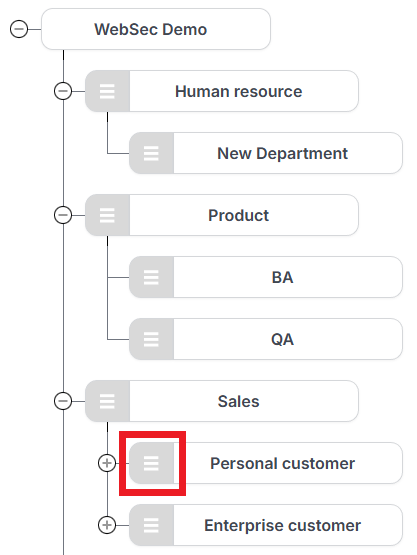
To change the order or hierarchy of departments, click and hold the icon next to the specific department drag and drop it to the desired location.