Monitoring File Activity
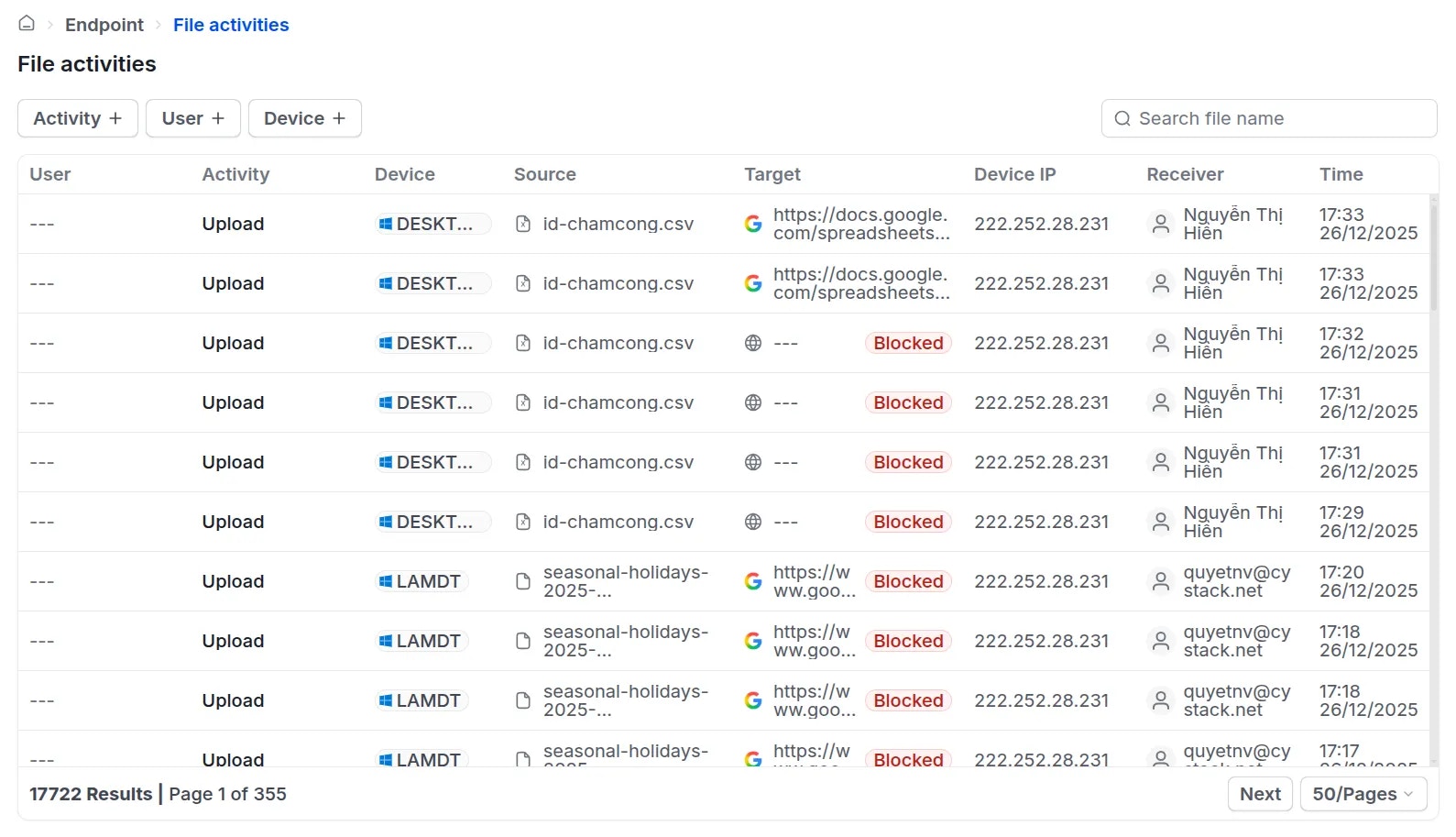
To monitor file editing and sharing activities, administrators can navigate to Endpoint Activity logs File activities. The system records the following details:- User, action performed, modified/shared file, and device IP address.
- If a user attempts to share a file via an application restricted by the established policy, the system will display a Blocked tag next to that specific activity.
Advanced Settings: File Receiver Tracking
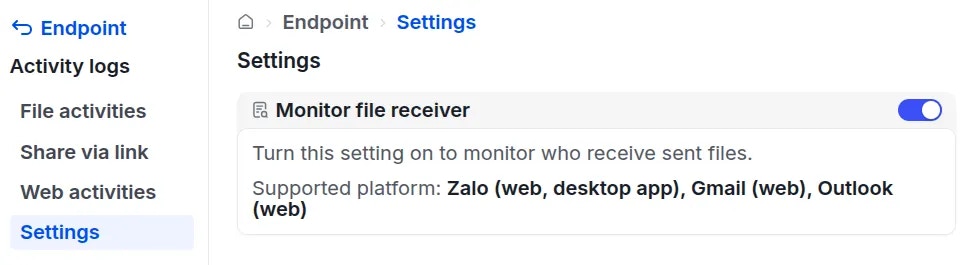
This feature enables administrators to identify the receiver of a shared file and the platform used for the transmission. Currently, the solution supports recipient tracking for files sent viaZalo (web, desktop app), Gmail (web), and Outlook (web).
To enable this feature, navigate to Activity logs Settings and turn on the Monitor file receiver switch.