Policy Management
Overview
CyStack Endpoint enables organizations to easily establish and enforce custom security policies across their entire fleet. This ensures that every endpoint within the corporate network adheres to predefined rules, safeguarding data and mitigating external threats. Organizations can proactively manage endpoint network traffic and prevent unauthorized or malicious access through:- Software access control
- Website access control
- IP/CIDR connection control
- Port restrictions
Use Cases:
- Automatically apply policies to endpoints to enhance security posture, protecting devices from internal and external risks.
- Administrators can monitor compliance levels and enforce remediation for violations, offering superior efficiency compared to traditional manual policy enforcement.
Feature Details
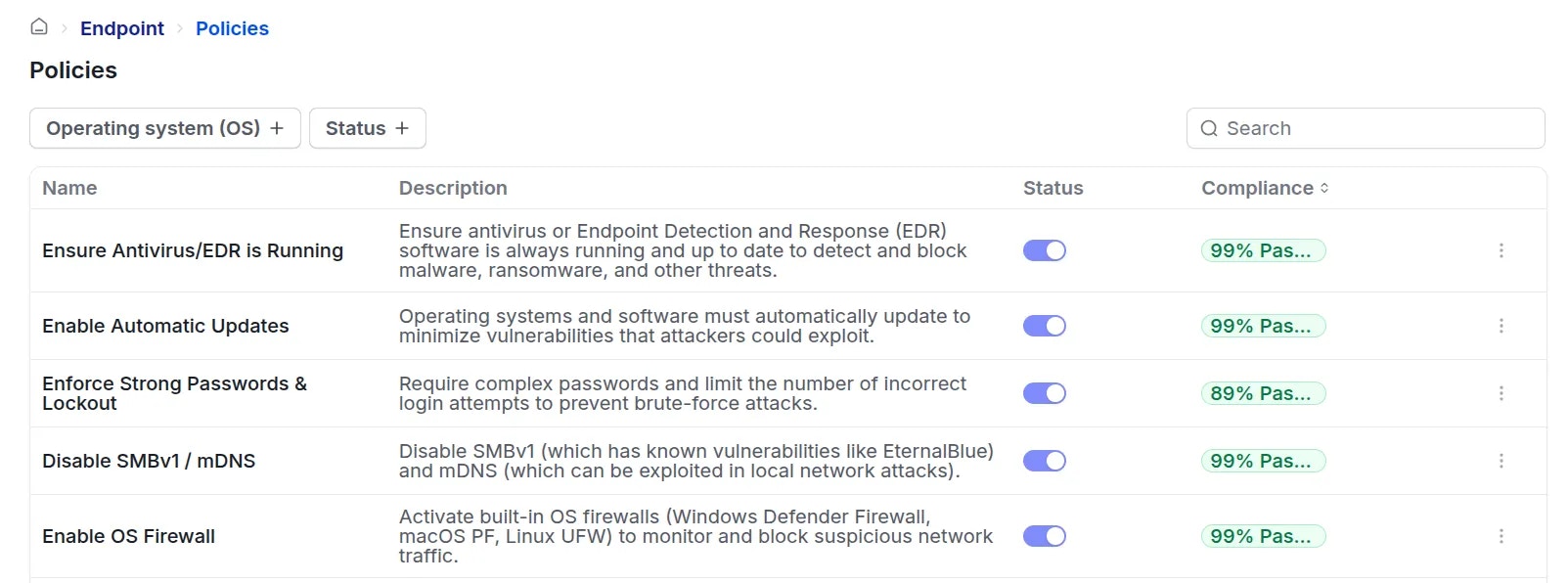
1. Policy Management Interface
Each policy entry includes the following details:- Policy name
- Supported OS: Windows/macOS/Linux
- Description: Explains the objectives and requirements of the policy.
- Compliance guide: Detailed instructions on how to configure the device to achieve compliance.
- Compliance status: Displays the percentage of devices currently meeting requirements.
- 0 to 50%: Dark red
- 51 to 85%: Yellow-orange
- Above 85%: Green
- Status: Active / Inactive
- Administrators can use the toggle switch to immediately apply or deactivate a policy.
2. Enforcing Device Compliance
Bulk Enforcement
Administrators can select multiple policies simultaneously and click theRequest compliance button to trigger notifications on non-compliant devices.
Device Notifications
On non-compliant devices, the agent displays a pop-uprequiring the user to adjust settings to meet policy requirements.
The pop-up content includes:
- Policy description
- Compliance instructions
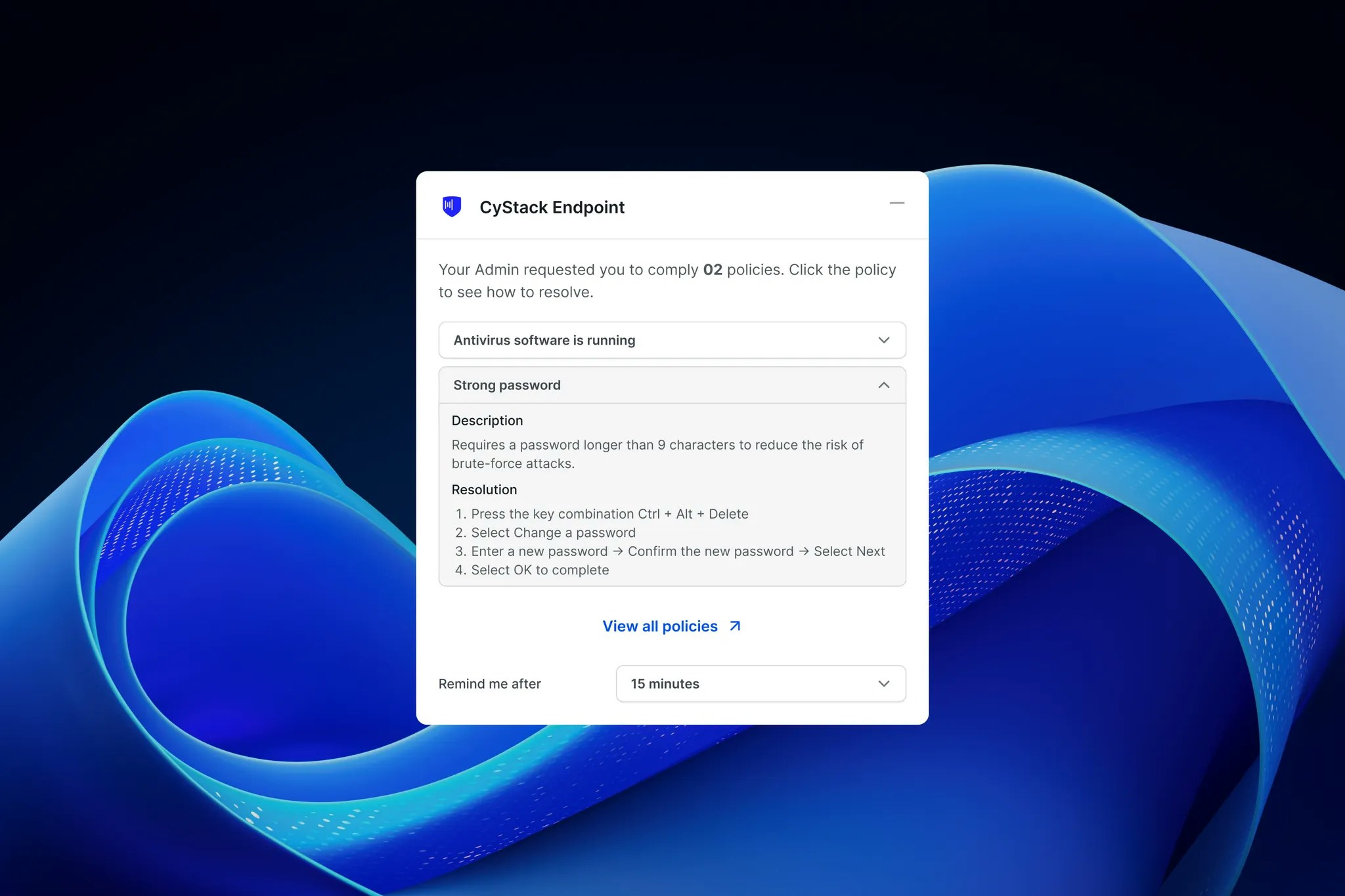
- 15 minutes
- 30 minutes
- 1 hour
- 4 hours
Warnings and Additional Actions
Currently, the agent is configured to issue a “Soft warning” for non-compliant devices. Organizations can request configuration for stricter enforcement actions, such as:- Network restriction: Block access to the internal network.
- Device disablement.
Compliance Achieved
Once the user completes the required remediation steps for a policy, the status will display a green checkmark on the reminder pop-up.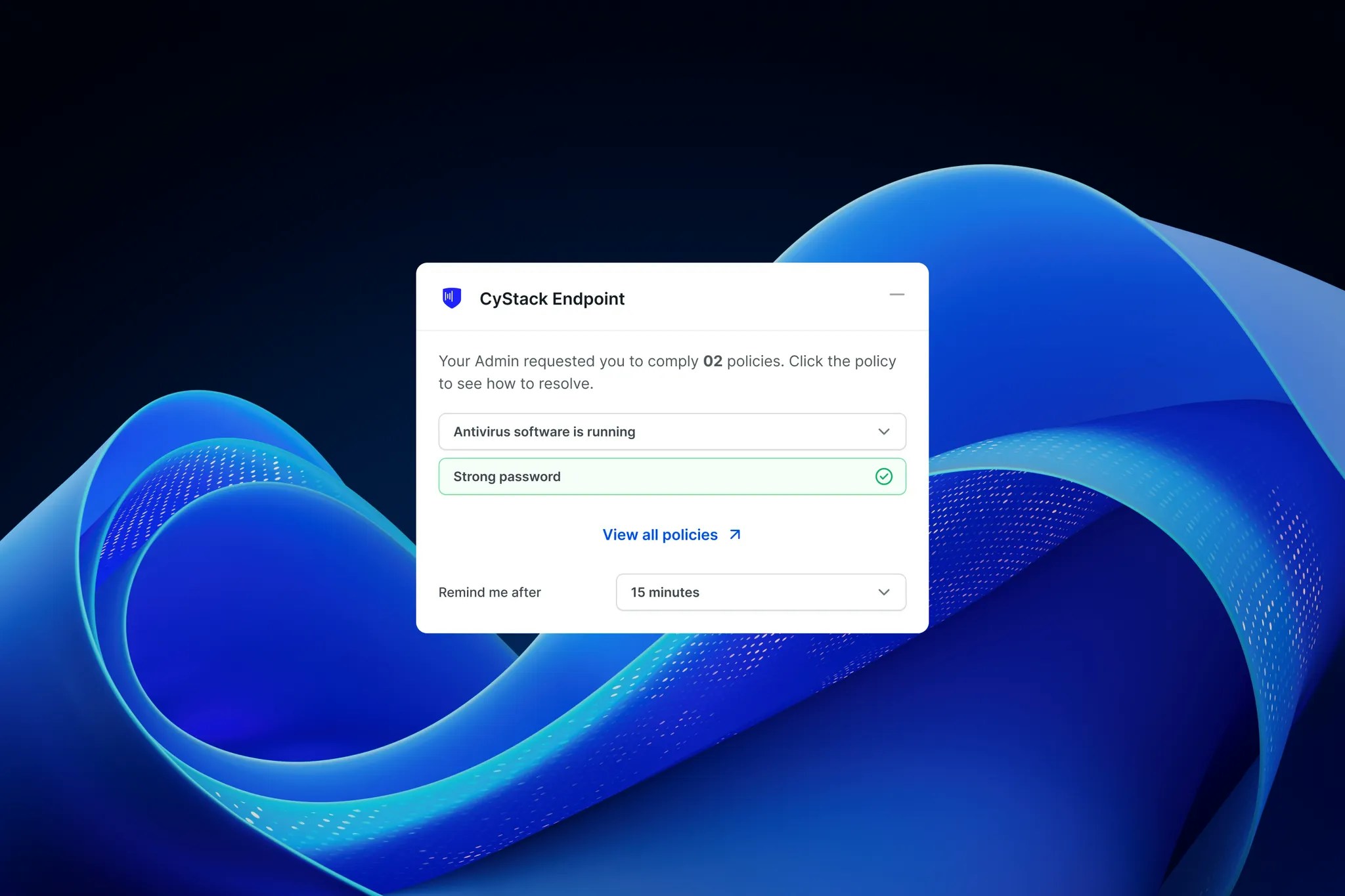
Status Updates
- The device agent continuously monitors compliance status and synchronizes updates with the server.
- When a device is remediated according to policy requirements, the status automatically changes to Compliant.
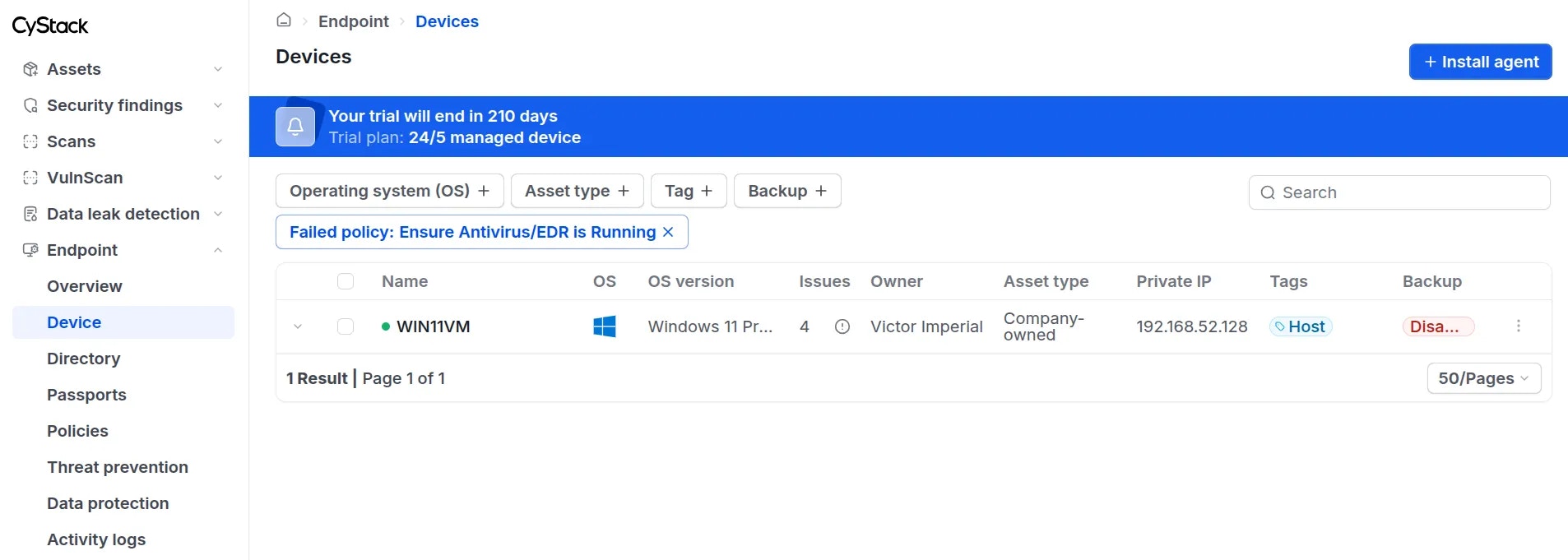
3. Monitoring Compliance Status
To monitor the compliance status of devices regarding a specific policy, follow these steps:1
2
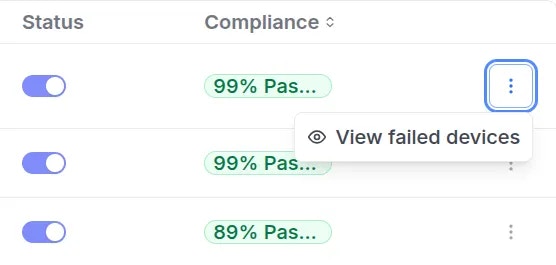
3
The dashboard will redirect to the device list view with the corresponding filters applied