Use cases:
Block employees from logging into websites using non-company accounts, preventing data leakage from the company, for example:
- Logging into personal cloud storage (Google Drive, OneDrive, Dropbox, iCloud,…)
- Logging into email, chat applications
- Logging into other services and platforms
Note: When applying this feature, employees will be automatically logged out of websites once, and will only be able to log back in using company accounts.
1
2
3
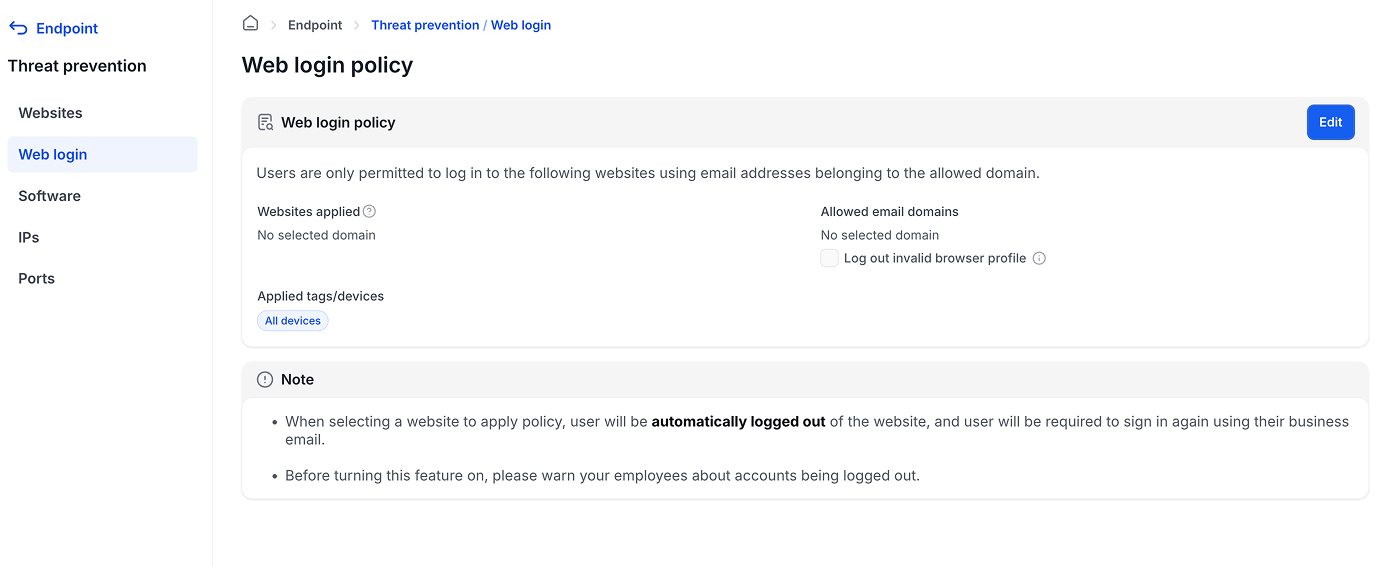
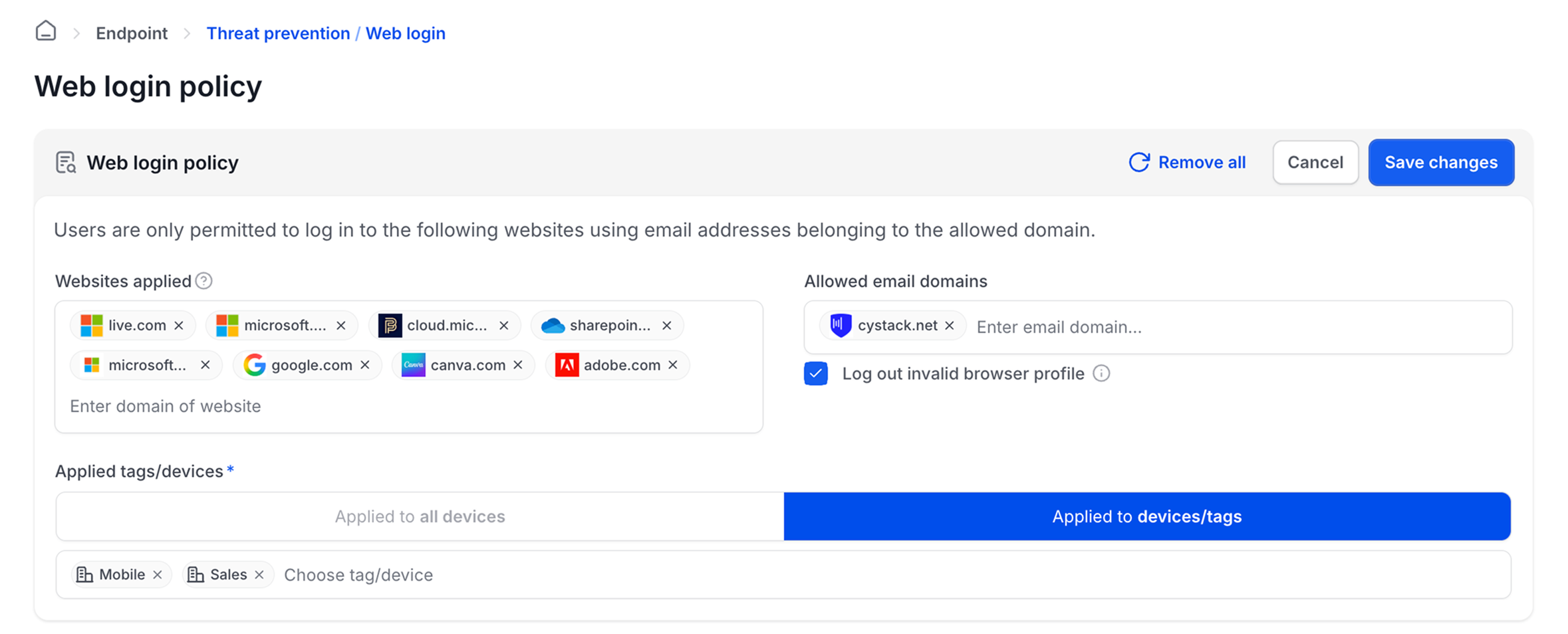
Admins can edit the following information:
- Websites to apply: enter the domain name of the website to apply login restrictions (e.g., google.com, adobe.com,…)
- Allowed email domains: enter the company email domain (e.g., cystack.net) to only allow login with accounts from this domain
- Invalid browser profile logout checkbox: When enabled, employees will also be logged out of browser profiles (Google Chrome, Microsoft Edge) if they are not from the configured domain (recommended to enable this option)
- Applied devices: apply to all devices or specific devices/departments
4
Note: To block employees from logging into Google, Facebook, Apple login portals using non-company accounts, administrators can add domains of these services (google.com, id.apple.com, microsoftonline.com,…) to the policy.
- When employees access websites that are configured, they will be logged out of those websites once (to make sure no non-company accounts are logged in)
- Employees can only log back in using company email accounts from the configured domain
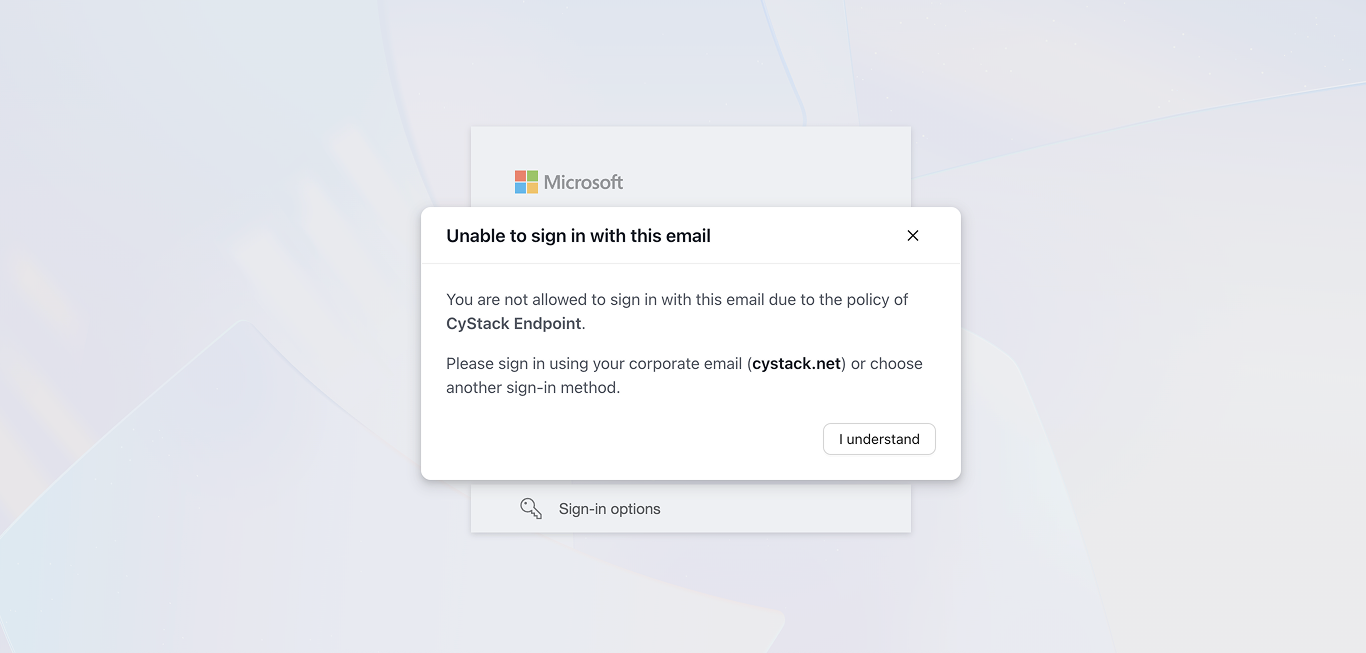
- When users attempt to log into a website using an account not from the configured domain, the software will display a warning popup as shown in the image below: