

Use Case
- Prevents employees from capturing screenshots of sensitive documents to share externally, thereby mitigating the risk of unauthorized data exfiltration.
Configuration Workflow
1
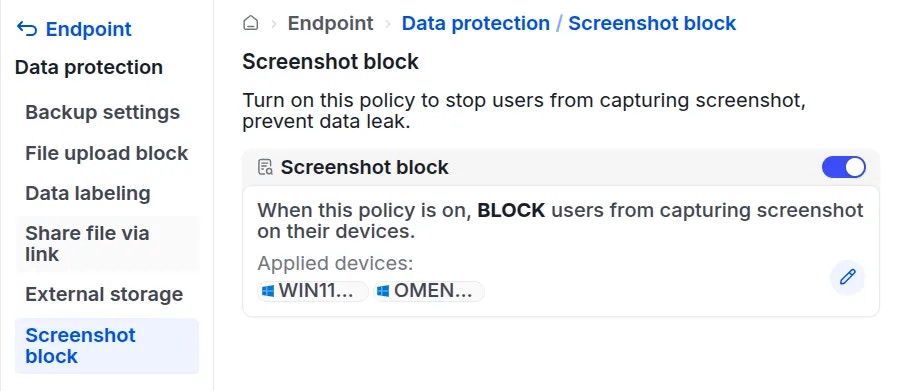
Navigate to **Endpoint** → **Data protection** → **Screenshot block**.
2
Toggle the switch next to **Screenshot block** to enable the feature:
3
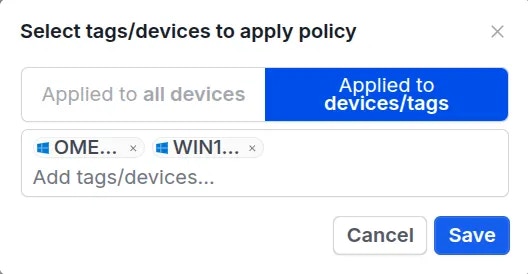
A configuration window will appear, prompting you to select the target devices for this restriction:
4
Choose to apply the policy to **All devices** or select specific devices, then click Save.
5
Once saved, the policy status will update to active.
The screen capture functionality will be disabled on the selected devices.