

Use Cases
- Classify documents to determine sharing permissions (allow or block).
- Automatically assign labels to documents based on organizational rules.
- Automatically block or allow the sharing of labeled data according to defined policies.
Understanding Document Labels
In CyStack Endpoint, administrators can define specific rules to automatically assign labels to documents on user endpoints. For example, a design firm wishing to prevent the external sharing of intellectual properties can configure the system to block the sharing of specific file types such as .psd, .psb, or .ai. Data labels consist of the following components:- Data Rules: Defined based on file name, file type, or content. Files with names, content, or types matching the criteria designed by the administrator will automatically receive the corresponding label.
- Label Policies: These determine sharing permissions—whether a document is allowed to be sent, restricted to specific channels, or strictly blocked. Administrators can define a unique policy for each label to control how labeled documents are handled.
- A document may be assigned multiple labels if its attributes match the rules of several different labels. In such cases, the system enforces the policy with the most restrictive sharing rules.
Block all sharing policy and Label B with an Allow via specific channels policy , the system will apply the Block all sharing policy.
Creating and Applying Document Labels
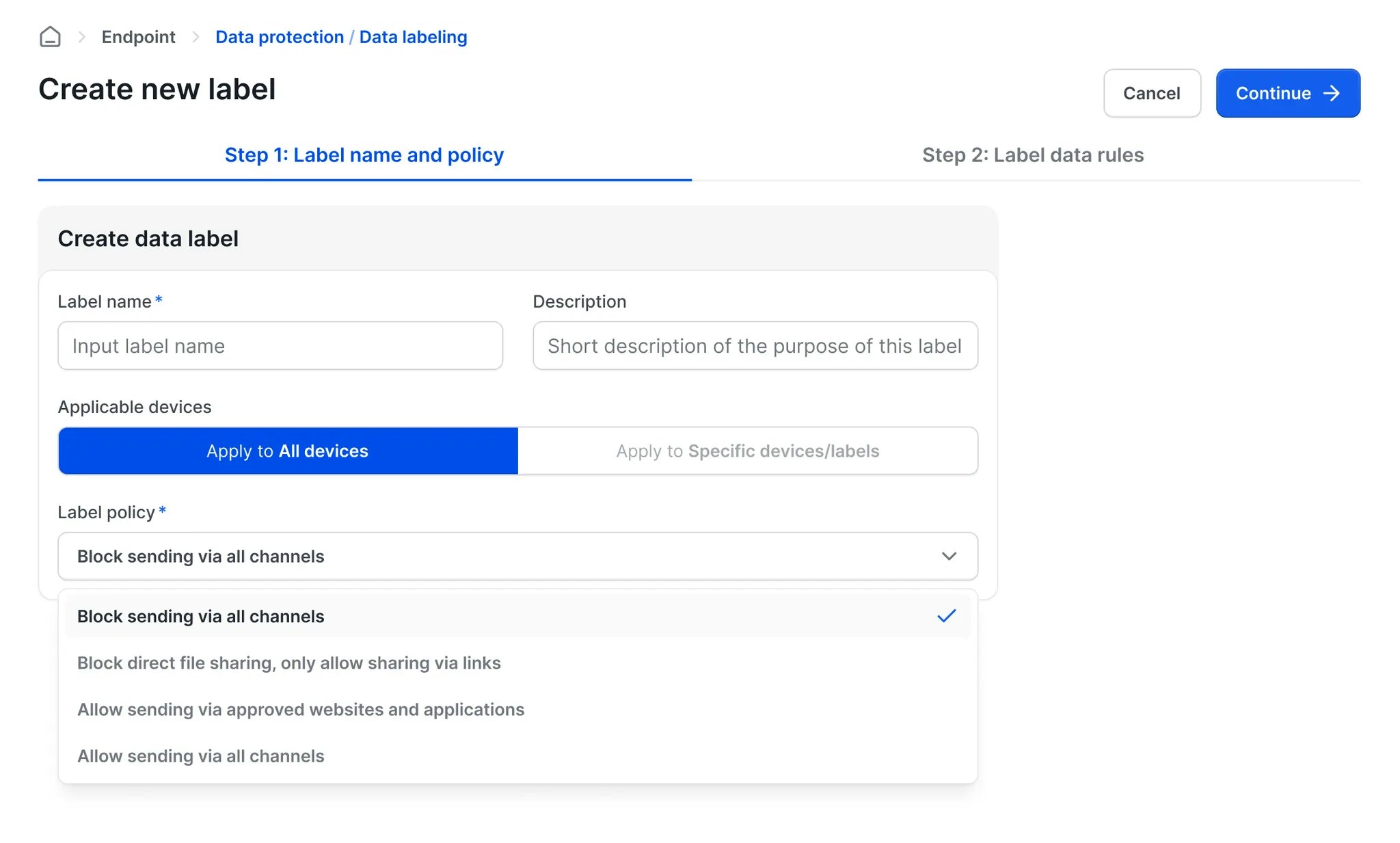
Administrators can create document labels using the following workflow:1
2
3
4
On the next screen, configure the rules for the label.
You can set rules based on 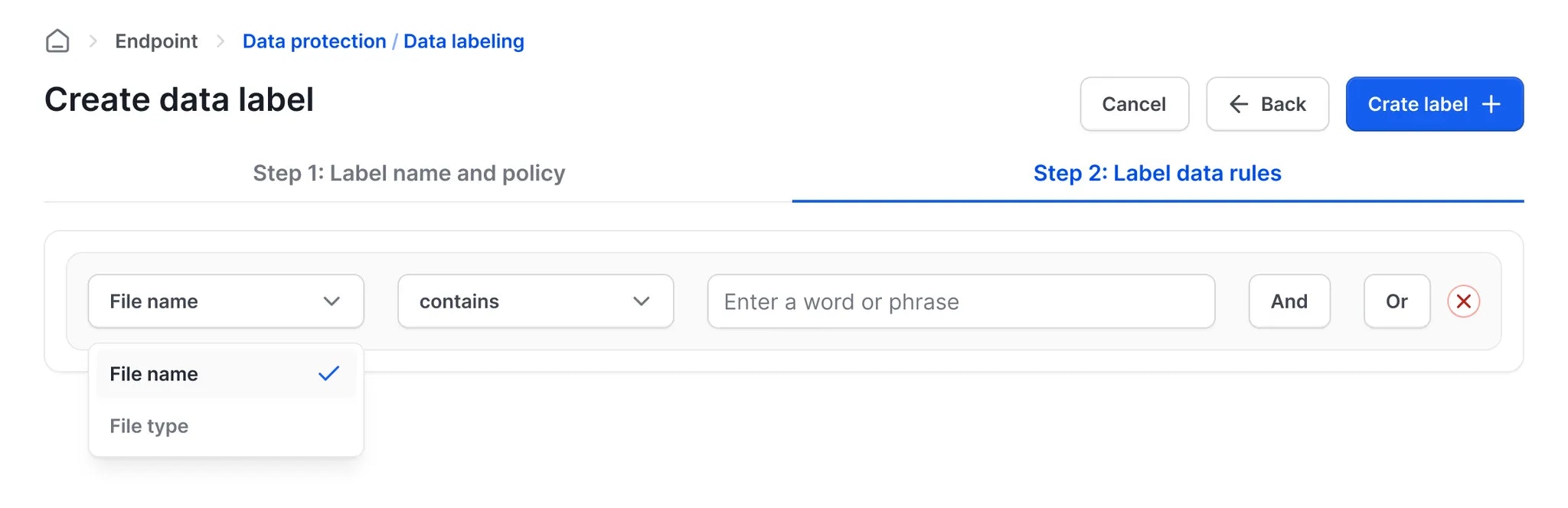
File name, File type, or a combination of both. Files with attributes matching these rules will be assigned this label.5
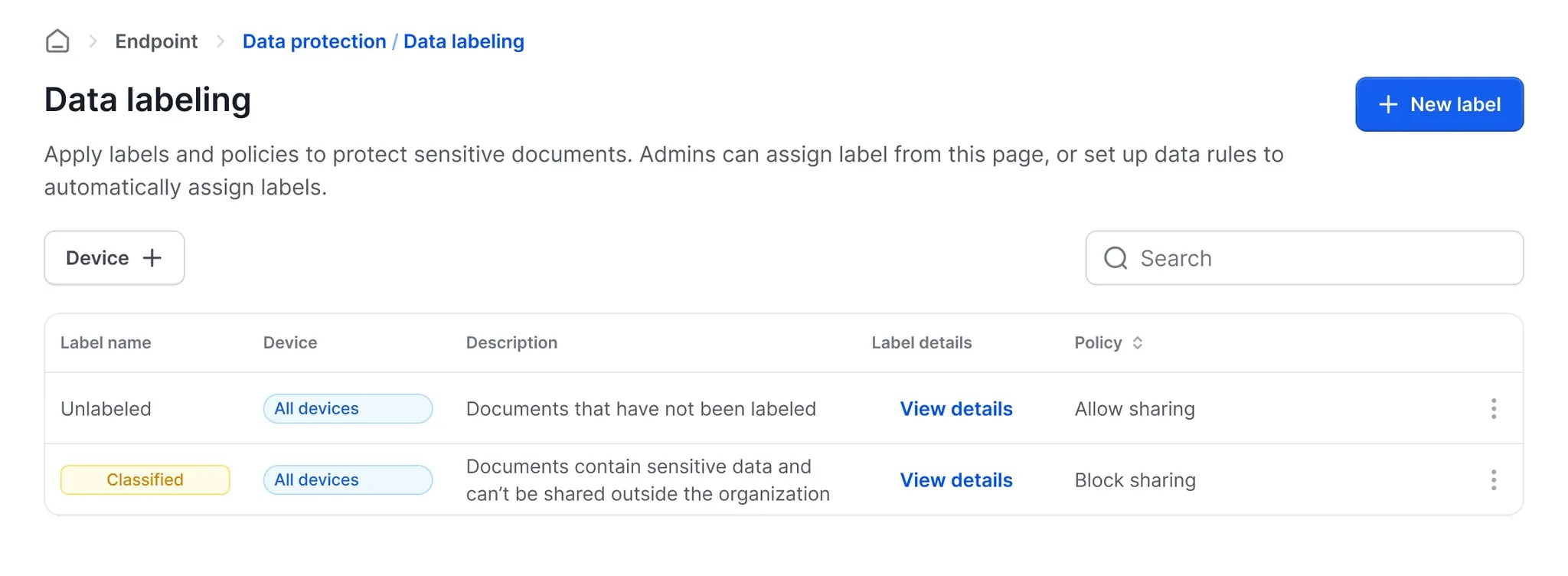
6
The label will be automatically applied to matching files on endpoints.
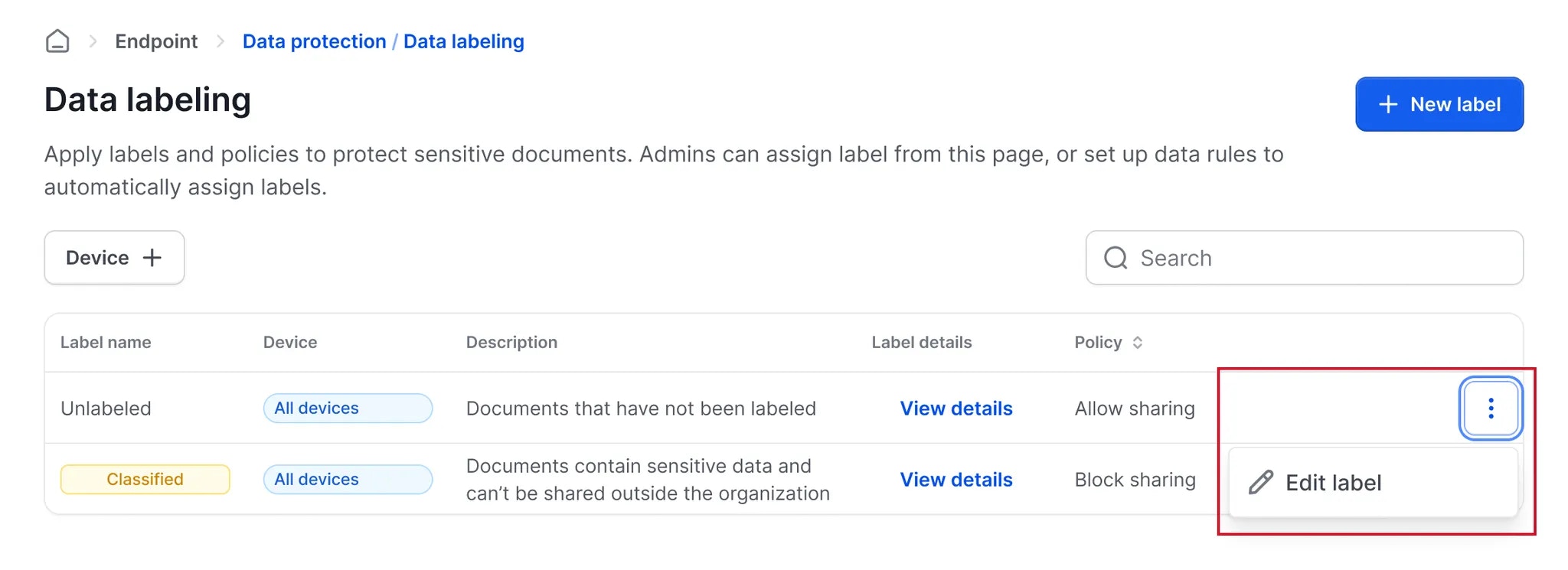
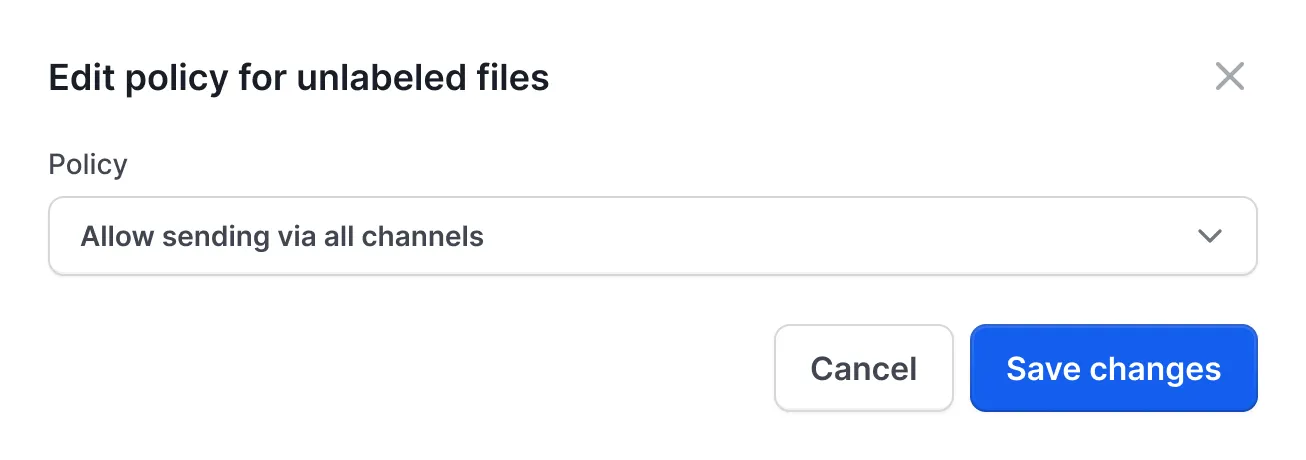
Note: Administrators can also define policies for documents that have not been assigned any label. For example, setting a default rule to block the sharing of unlabeled documents ensures maximum data control and reduces the risk of accidental leaks.
1
2
Modify the policy applied to unlabeled files.
Automatic Policy Enforcement on Endpoints
On user devices, security policies are automatically applied to documents based on their assigned labels. The available label policies are detailed below:- Block all sharing: Documents with this policy cannot be sent via any channel.
- Block direct transfer, allow link generation only: Direct file sharing is blocked across all channels. To share the file, the user must generate a link and send it to the recipient. This method allows administrators to maintain control by auditing or approving sharing requests.
- Allow via authorized channels: Documents with this policy can only be shared through websites or applications explicitly authorized by the administrator.
- Allow via all channels: Documents with this policy can be shared freely across any channel without restriction.