

- Managed OWASP ruleset — flip one switch to immediately gain protection against common web attacks.
- Custom rules — your organization’s own rules, including AI-generated virtual patches built from scan results.
Managed OWASP ruleset
Open a site and go to the Web attack protection section. Toggle the switch to apply the OWASP Core Rule Set (CRS) — an open-source, industry-standard ruleset maintained to detect and block web application attacks such as SQL injection, XSS, remote code execution (RCE), path traversal, malicious file uploads, and scanning tools.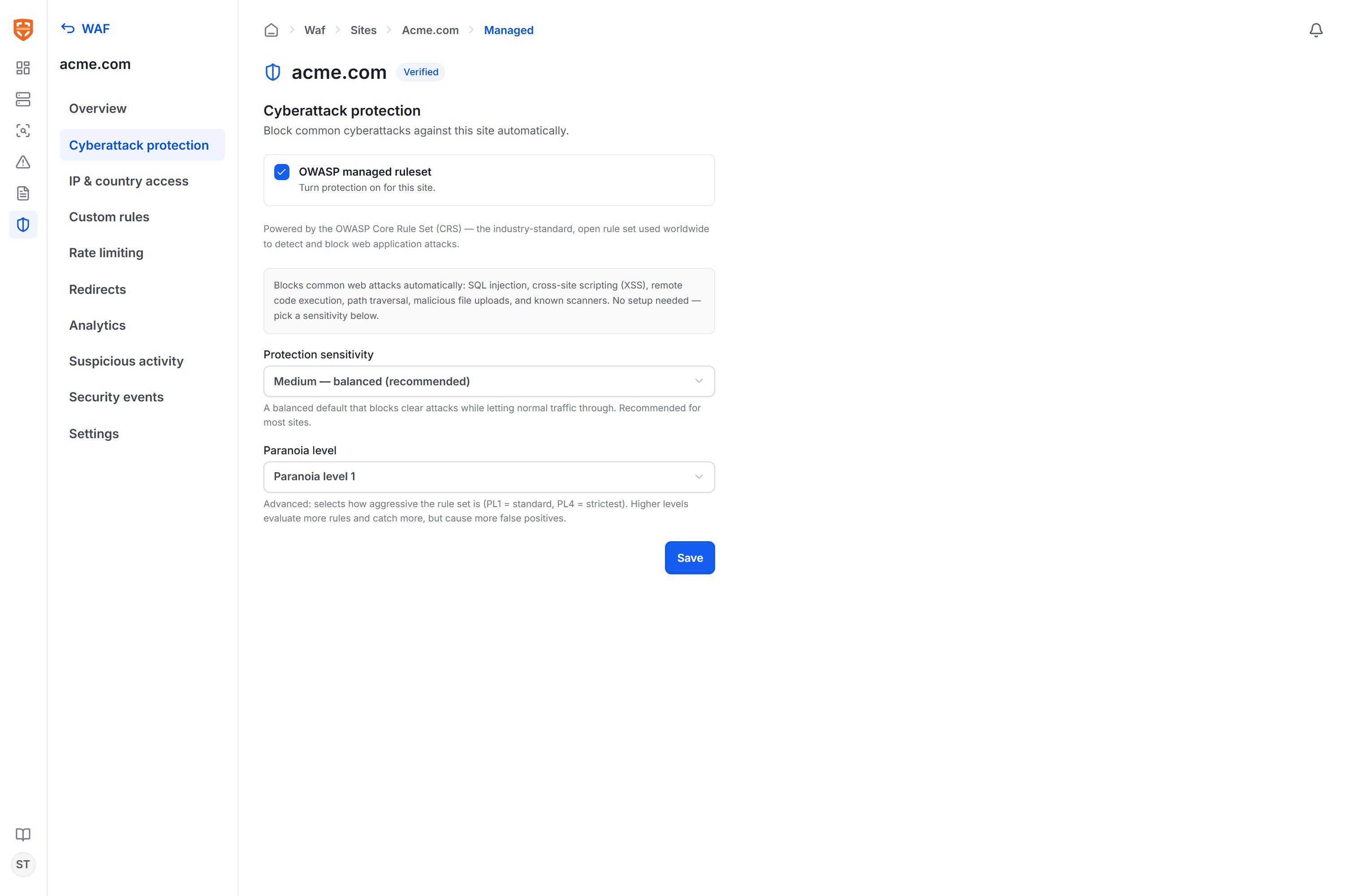
Protection sensitivity
Sensitivity determines the anomaly score threshold at which a request is blocked:Paranoia level
The paranoia level (PL1–PL4) selects which group of rules is evaluated:- PL1 (default) — conservative, with minimal false positives.
- PL2 — stricter, may produce some false positives.
- PL3–PL4 — very strict, catches the most signatures but with higher false positives.
Custom rules
The Custom rules section lets you create your own rules to match any characteristic of a request and choose the corresponding action.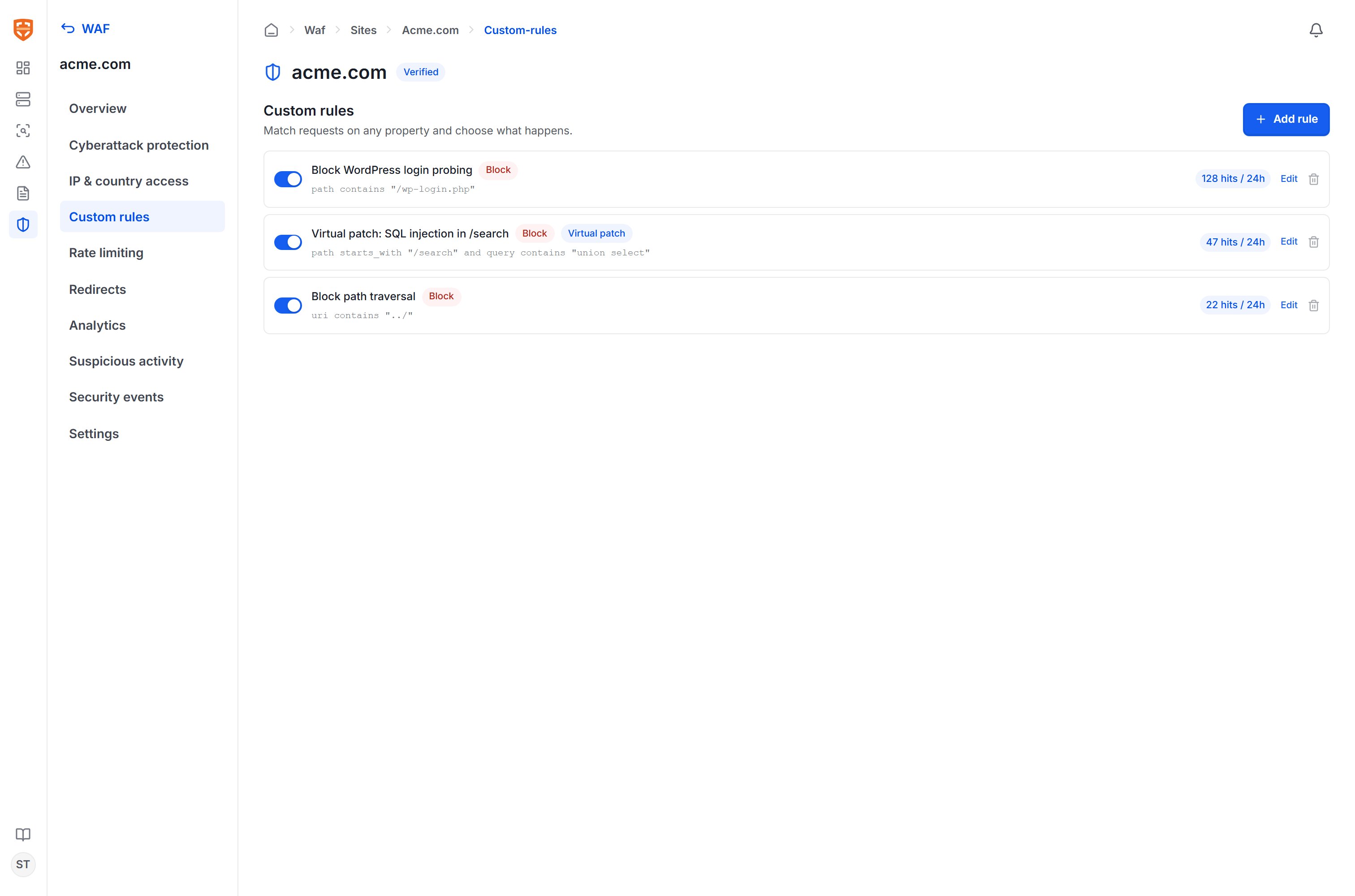
Conditions
The system shows a preview of the rule’s expression, for example
path contains "/wp-login.php" or path starts_with "/search" and query contains "union select".
Actions
Each rule has its own enable/disable switch and shows the number of matches in the last 24 hours, helping you assess real-world impact before tightening it further.
AI-generated virtual patches
When a VulnScan scan discovers a web vulnerability that can be mitigated at the HTTP layer, the AI layer proposes a corresponding virtual patch rule. This rule appears in the custom rules list with a Virtual patch label and a reference to the source vulnerability. A virtual patch is designed to match the exact attack signature (for example, a malicious parameter on a specific path) rather than blocking an entire endpoint, in order to limit impact on legitimate traffic. The workflow is:- The AI generates the rule from the vulnerability and pre-fills the conditions and a block action.
- An administrator reviews the conditions to ensure the rule matches the exploit signature exactly.
- Enable the rule so the edge node starts blocking.
- Track the match count and events to confirm effectiveness.
A virtual patch is a temporary mitigation at the edge layer that helps narrow the risk window while your development team fixes the issue properly in the source code. A virtual patch should not be treated as a replacement for fixing the underlying vulnerability.