

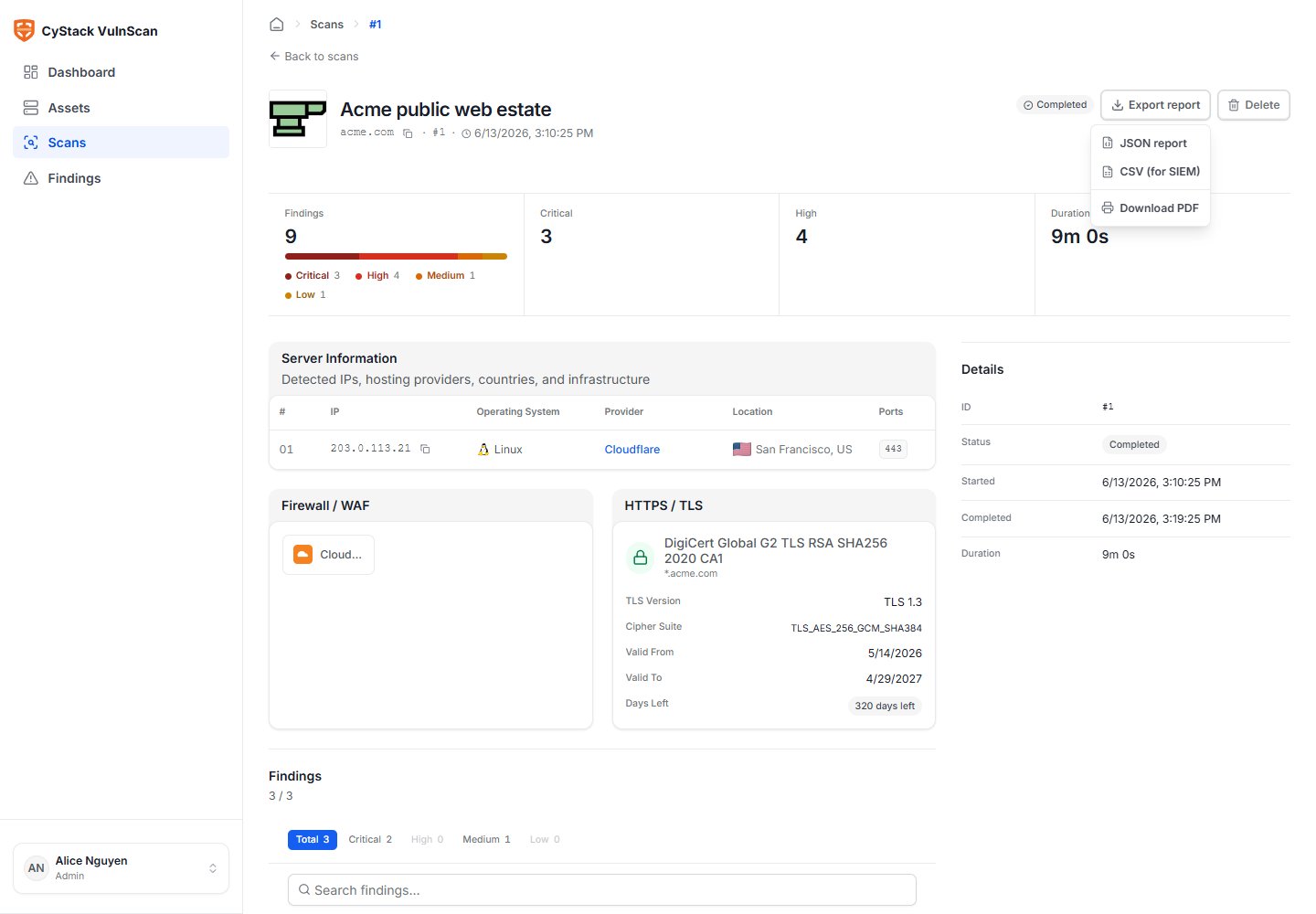
Format Selection
Other export formats are intentionally not supported so the product can keep report quality, field mapping, and automation behavior consistent.
Export From the Web UI
- Open Scans and select the completed scan, or open Reports.
- Choose Export.
- Select
CSV,JSON, orPDF. - Choose the report language where available.
- Confirm the export.
PDF Background Jobs
PDF generation does not depend on the browser tab staying open. When a user starts PDF export:- VulnScan creates a report job in the database.
- The PDF export button is locked for that report while the job is running.
- The user can leave the page or close the browser.
- When the PDF is ready, VulnScan marks the job completed.
- If mail is configured, the report creator receives a report-ready email.
- The user returns to the Web UI to download the file. Deployments may also attach the PDF to the email where allowed by mail size policy.
What a Report Includes
Report content depends on the scan results and selected format, but the core report model includes:- Workspace and scan metadata.
- Target, asset, and scan source.
- Scan start time, finish time, and duration.
- Severity summary and finding distribution.
- Findings with title, severity, risk score, confidence, affected location, and status.
- CVE, CWE, CVSS, EPSS, CISA KEV, OWASP Top 10, and OWASP WSTG fields where available.
- Evidence and remediation guidance.
- References.
- Discovery context such as technologies, services, TLS, and WAF/CDN where relevant.
Export From the CLI
Generate JSON and CSV:Recommended Report Usage
Report Quality Checklist
Before sharing a report externally:- Confirm the scan target and source are correct.
- Review Critical and High findings for obvious ownership or scope mistakes.
- Check whether authenticated scan context was used when required.
- Confirm the report language.
- Verify that false positives or accepted risks are documented.
- Confirm mail delivery if the PDF was generated asynchronously.