

cywall that your organization installs on its own server. The node receives real traffic from the Internet, runs the WAF engine (OWASP CRS and custom rules), and then forwards valid requests to the origin server.
A single node serves all sites declared in the workspace. Your organization can run multiple nodes to increase availability and distribute load across geographic regions; each node receives the same configuration from the console.
Requirements
- A Linux, macOS, or Windows server with a public IP address that can expose ports 80 and 443.
- Outbound connectivity so the node can register and maintain a control channel with the console.
- Administrative privileges (root/Administrator) to install the service and listen on privileged ports.
A site can only be served by a node in the ready state (online and publicly reachable on ports 80/443). For this reason, you must install and confirm at least one ready node before adding a site.
Install a node
Open WAF → Node and select Add node. The setup window shows the download and install commands per operating system; choose the platform that matches your server.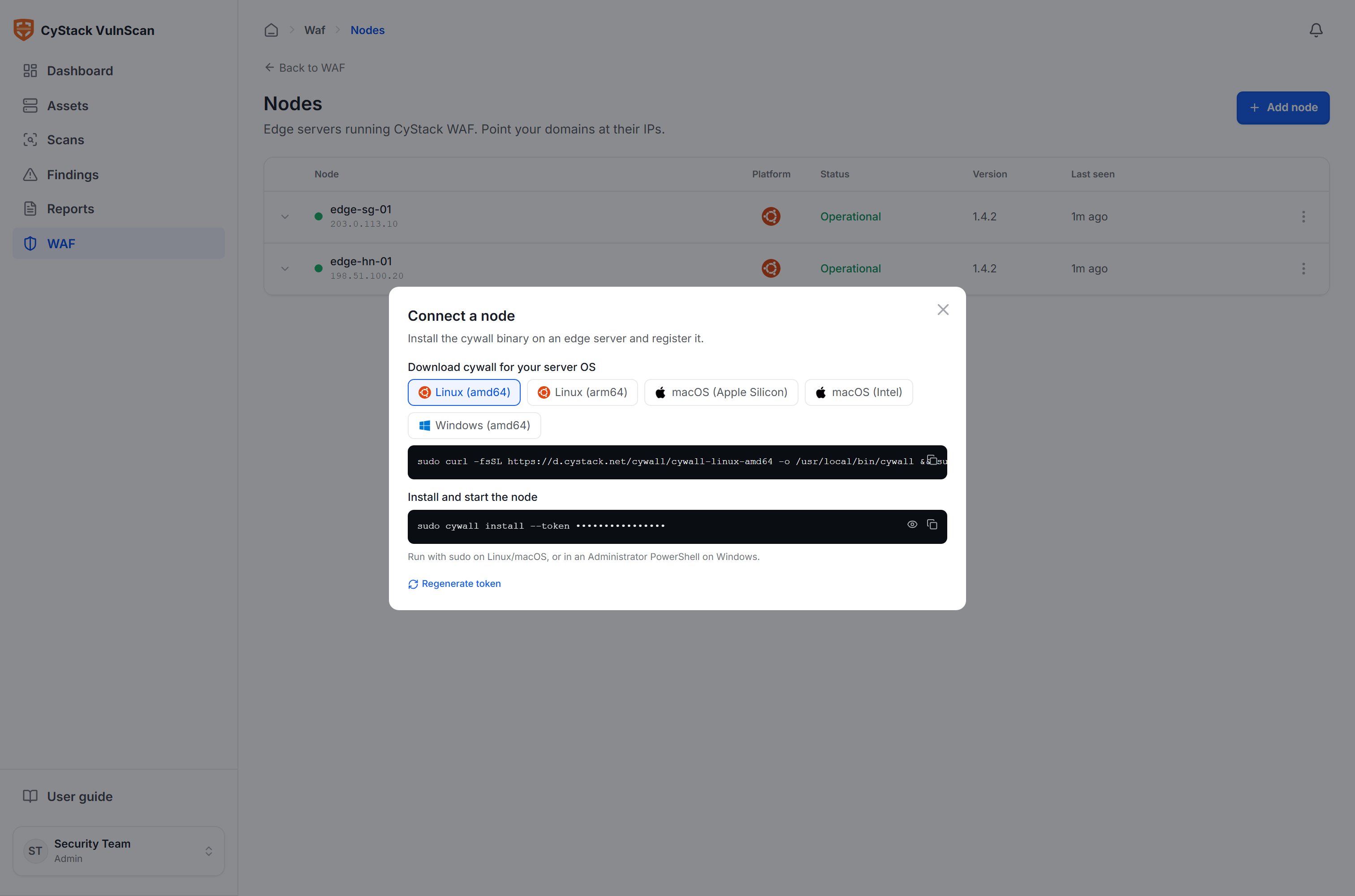
cywall binary to the server:
install command registers the node with the console, exchanges the registration token for a long-lived node token, installs the background service, and starts it. As soon as it connects, the node receives the initial configuration (the list of sites and rules) and begins serving.
On macOS/Linux, use sudo; on Windows, run the corresponding command in PowerShell with Administrator privileges.
Node status
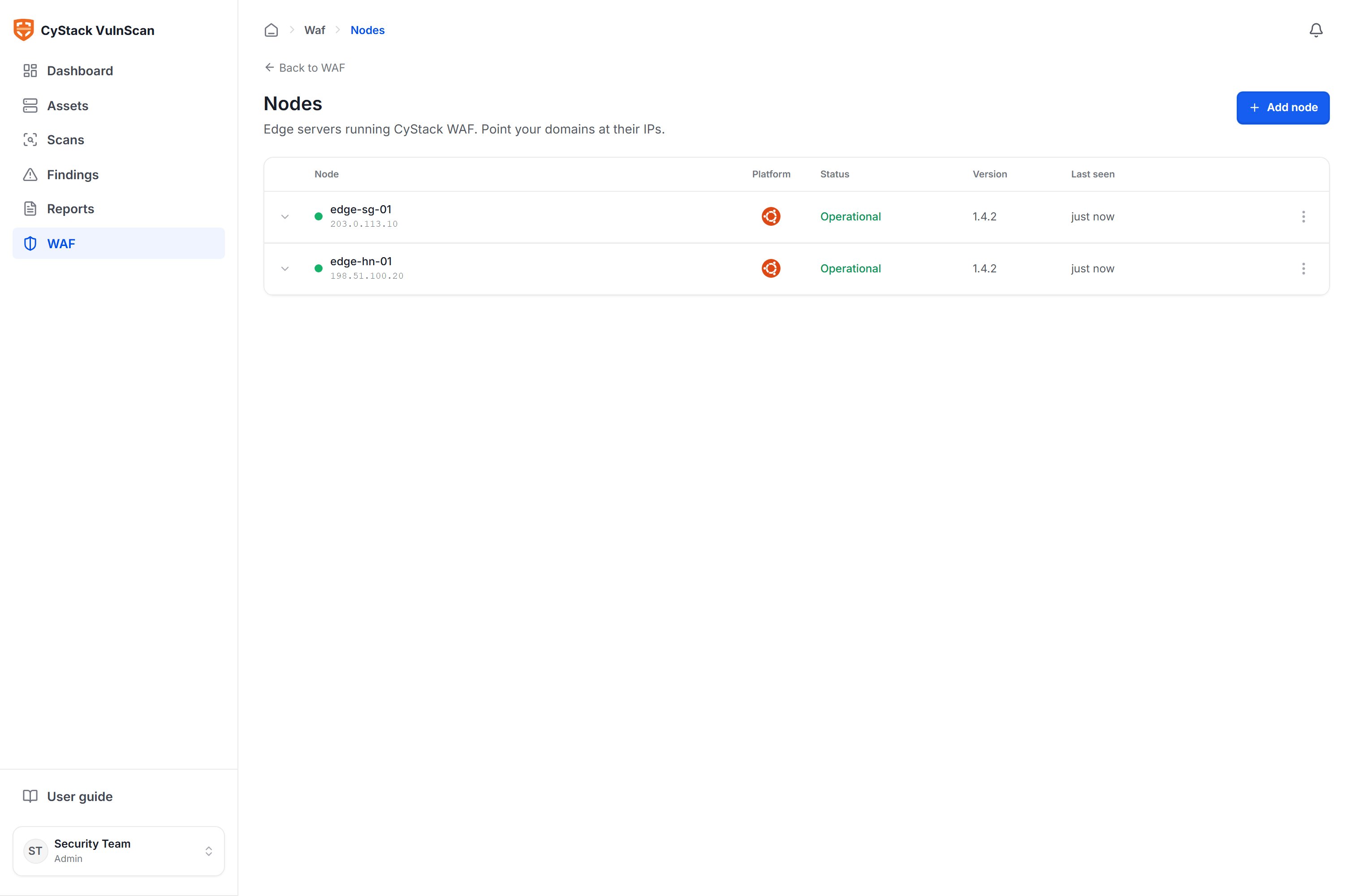
After installation, the node reports information back to the console and appears in the list:
Expand a row to view details: the list of sites the node is serving, origin connectivity, TLS certificate status, and system metrics (CPU, memory, disk usage).
Registration token
The registration token is used to attach a new node to the workspace. If you suspect the token has been leaked, select Regenerate token in the Node section. The old token becomes invalid for new registrations; nodes that already registered continue to operate normally using their own node tokens.Multiple nodes and availability
Every site runs on every node, so adding nodes increases load capacity and redundancy:- Redundancy: if one node goes down, the remaining nodes continue to serve traffic (when DNS points to multiple IPs).
- Geographic load distribution: place nodes near users to reduce latency.
- Uninterrupted maintenance: update nodes one at a time without disrupting the service.
Environments without a public IP for the console
When the VulnScan console resides on an internal network without a public IP, the system supports relay mode: the console proactively connects outbound to a CyStack relay, and nodes connect to that relay. The entire channel between the console and nodes is end-to-end encrypted; the relay only forwards encrypted data and cannot read its contents. The relay configuration is embedded in the installation token, so no additional setup is required.Remove a node
To remove a node, select the delete action in the list. The console closes the control connection with that node. If a site’s DNS currently points to the IP of the node being removed, update DNS to another node first to avoid disruption.Operational security
- Run
cywallunder a dedicated service account with limited privileges. - Expose only ports 80/443 to the Internet; restrict other management ports.
- Track the version and update
cywallwhen a new release is available. - Protect the registration token as a secret; regenerate it if you suspect a leak.