Beyond blocking attacks by request content, CyStack WAF also lets you control who can access, at what rate, and how to redirect traffic. These three sets of tools help reduce automated attack load, protect sensitive endpoints, and manage user routing.
Block by IP, country, and ASN
The Block IP & country section lets you allow or block traffic by origin, without building complex conditions.
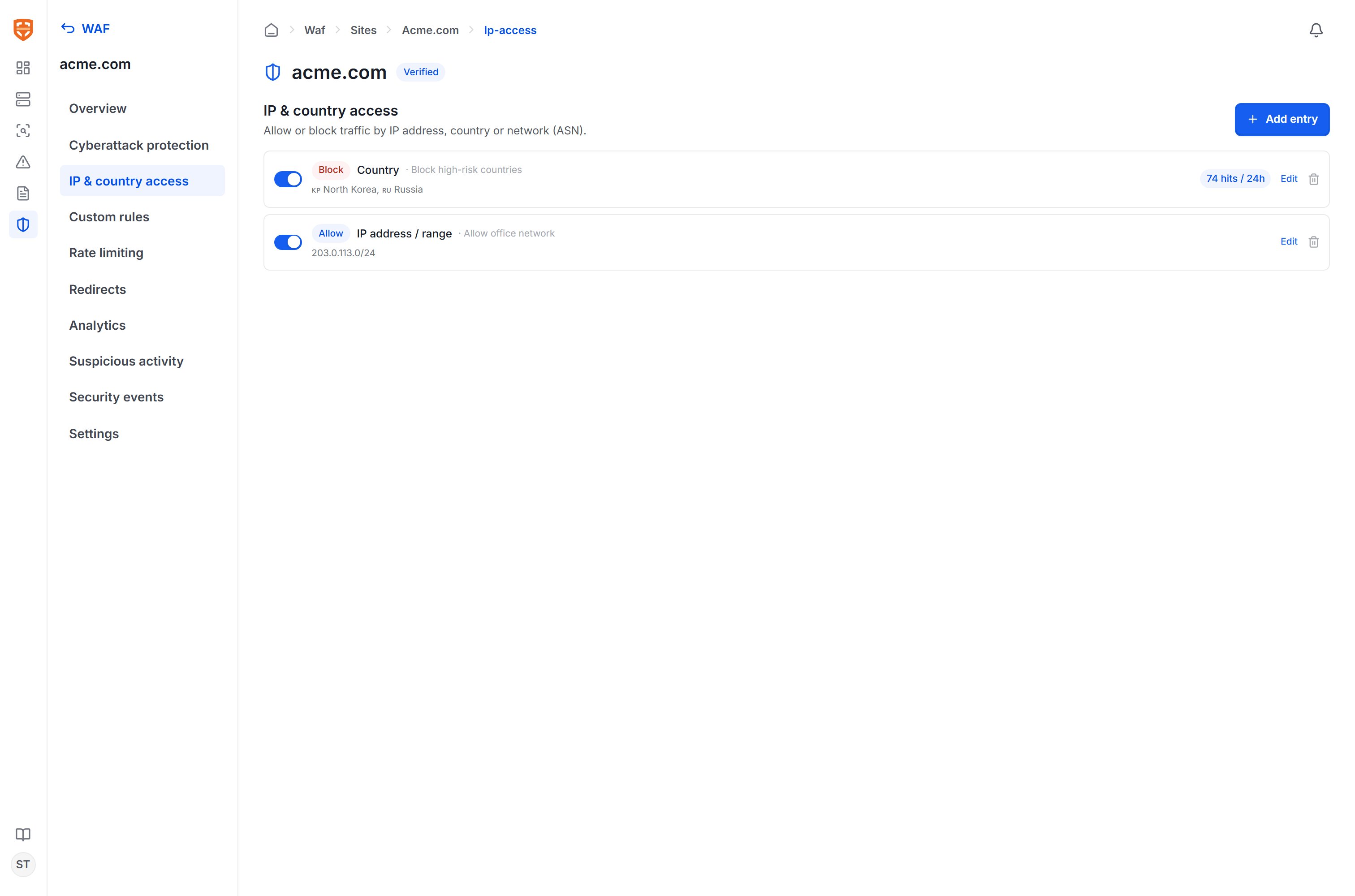
Each entry consists of:
| Component | Value |
|---|
| Type | IP address/range (CIDR), Country (ISO code), or Network (ASN). |
| Value | A list of IPs/CIDRs, a list of country codes, or an AS number. |
| Action | Block (blocklist) or Allow (allowlist). |
| Description | An optional label for easier management. |
A country picker (with flags) and an ASN search by organization name are available for fast entry.
Use Allow rules for your office network or trusted internal IP ranges, and Block for high-risk countries/ASNs that your organization does not serve. Each entry shows the number of matches in the last 24 hours so you can assess impact.
Rate limiting
The Rate limiting section limits the number of requests a client can send within a time window, helping defend against login brute-force, API abuse, and automated scanning.
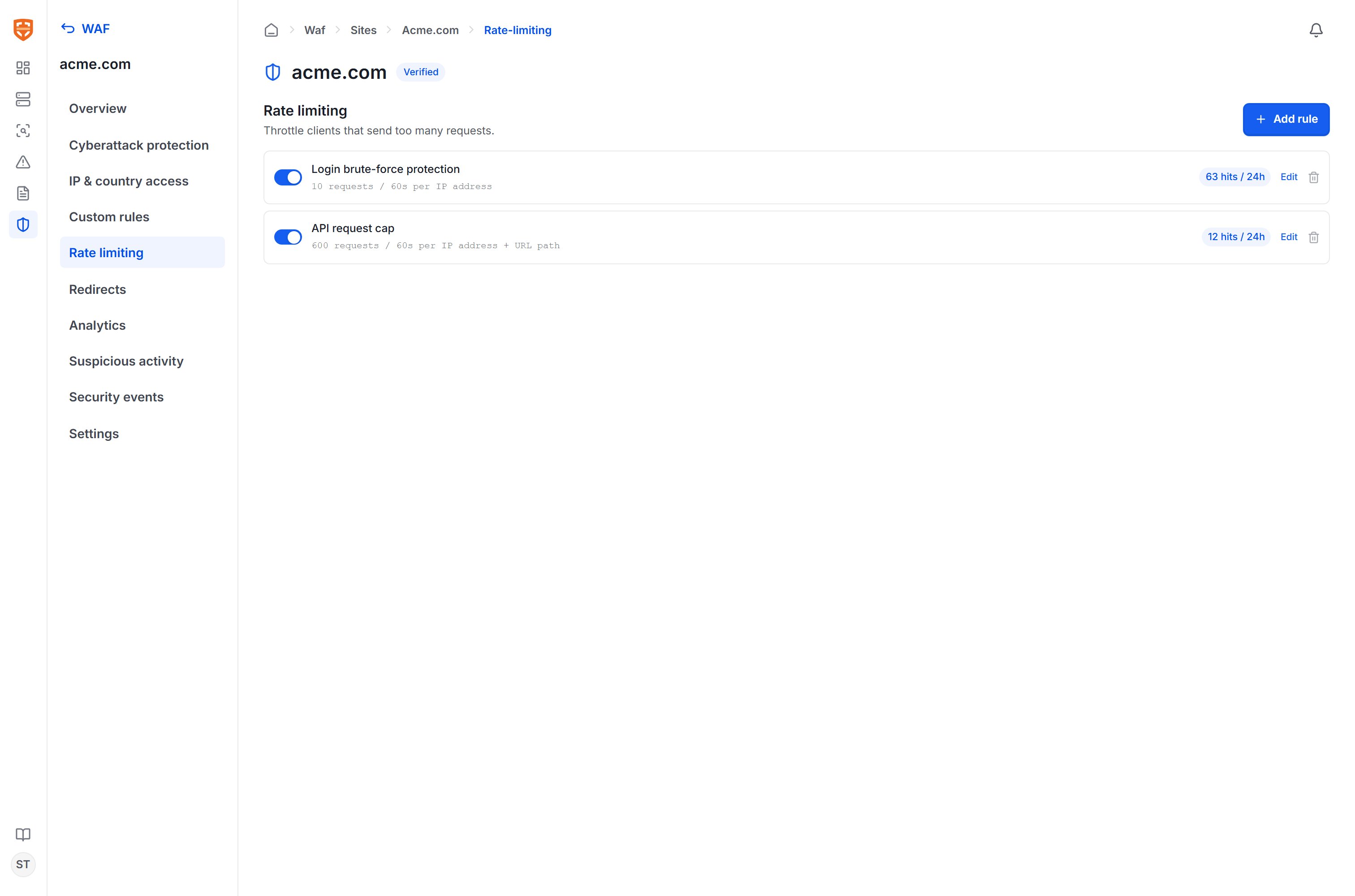
Each rule configures:
| Component | Description |
|---|
| Name | Describes the purpose of the rule. |
| Apply to path | Optional — only limit requests matching this path prefix (for example /login). |
| Count by | IP address (all paths for the same IP) or IP + URL path (each IP–path pair counted separately). |
| Threshold | The maximum number of requests within a time window, for example 10 requests / 60 seconds. |
| Action | When the threshold is exceeded, return HTTP 429 (Too Many Requests). |
For example: a login brute-force protection rule limits 10 requests / 60s per IP for the /login path; an API limiting rule allows 600 requests / 60s per IP + path pair.
Redirects
The Redirects section returns a redirect response for requests that match a condition — useful when moving old paths, consolidating domains, or enforcing access via a canonical path.
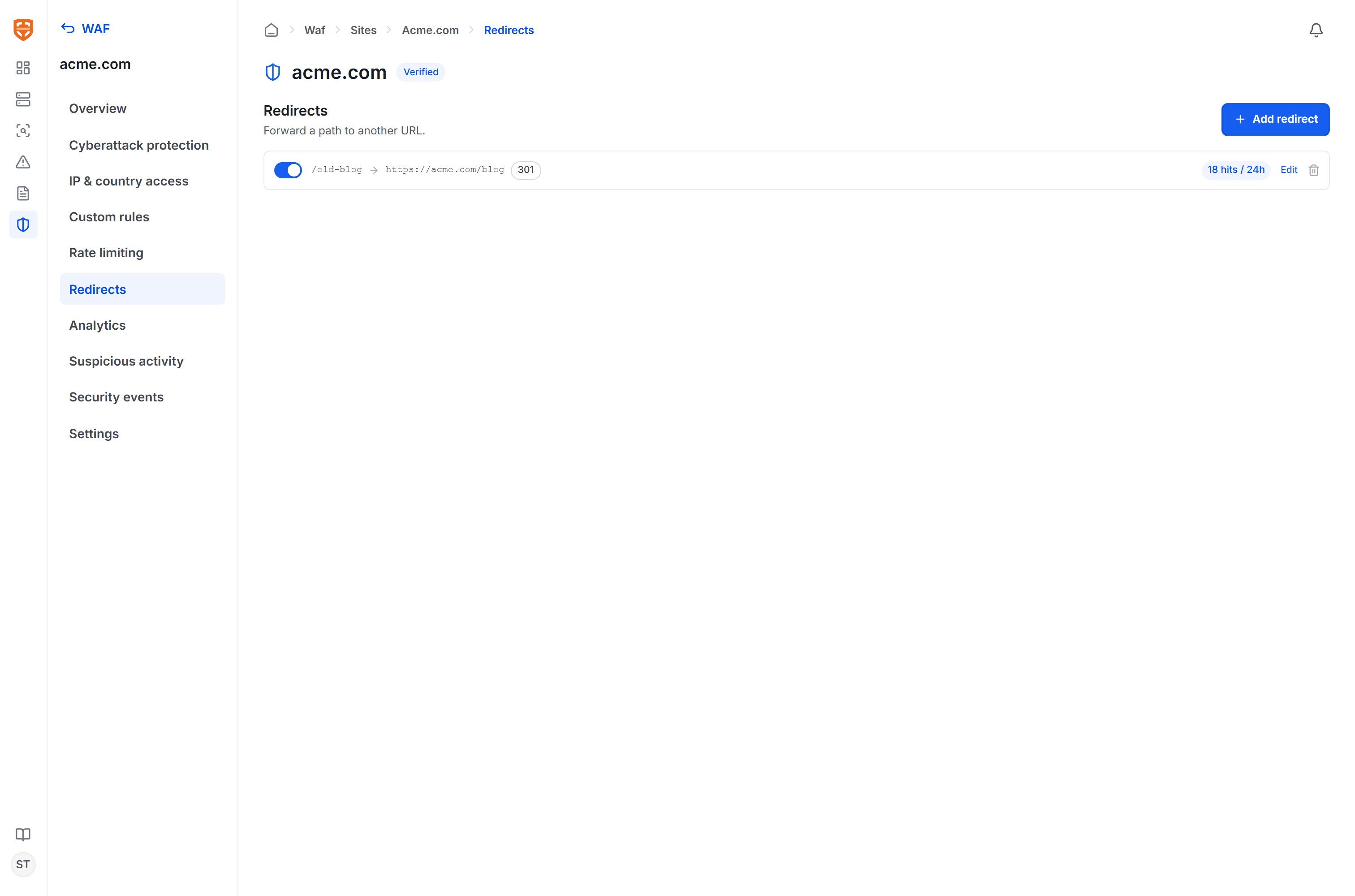
Each rule consists of:
| Component | Description |
|---|
| Name | Describes the purpose of the redirect. |
| Match conditions | The full set of conditions as in custom rules (by path, query, header, etc.). |
| Redirect to | The destination URL, absolute or relative. There is an option to preserve the query string. |
| Status code | 301 (permanent), 302 (temporary), 307, or 308 per the HTTP standard. |
Redirects are handled right at the edge layer before the request reaches the origin, so they take effect even when the origin application has not been updated.
Working with protection rules
The tools above operate alongside the OWASP ruleset and custom rules. On the monitoring page, each blocked event indicates which group blocked it — the managed ruleset, a custom rule, rate limiting, or access control — helping you cross-reference and tune precisely.