

1
Access BaseCheck
2
Enter the domain you want to scan
Example: yourcompany.com and click Scan now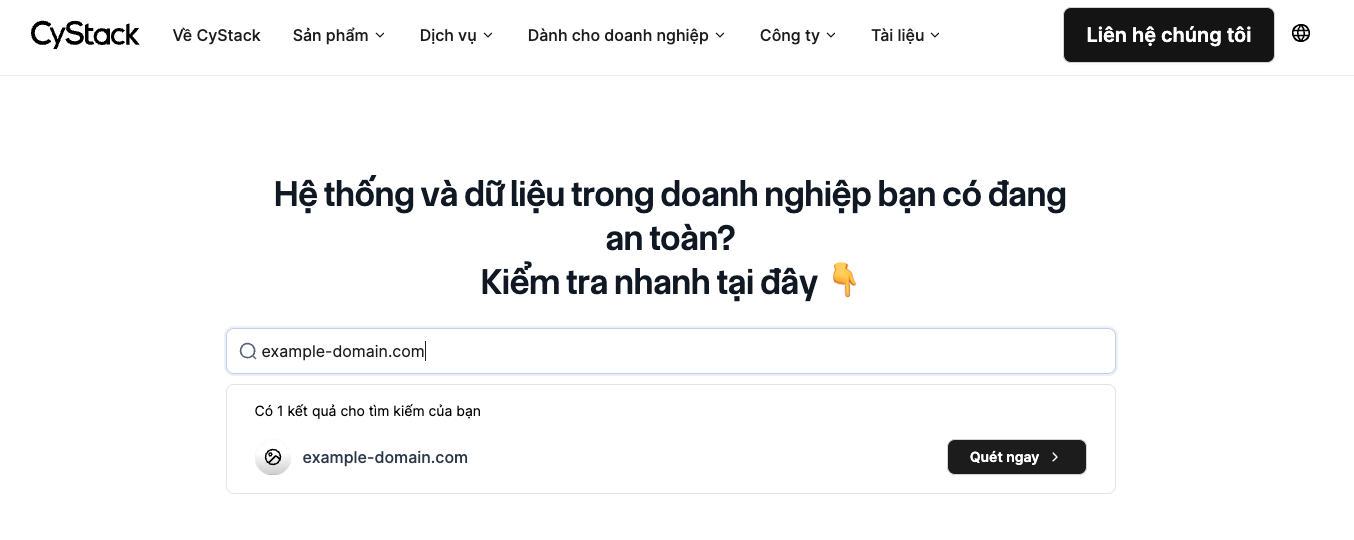
3
Log in to the system
You can quickly sign in using your Google account.
4
Verify domain ownership
The system will require you to verify ownership of the domain you want to scan. This step ensures that the requester is the actual owner of the domain, preventing sensitive information from being accessed by unauthorized parties.
5
Verify domain ownership
The system will again ask you to complete the verification process. You can verify ownership using one of the two available methods on the verification page: uploading a .TXT file or adding a DNS record.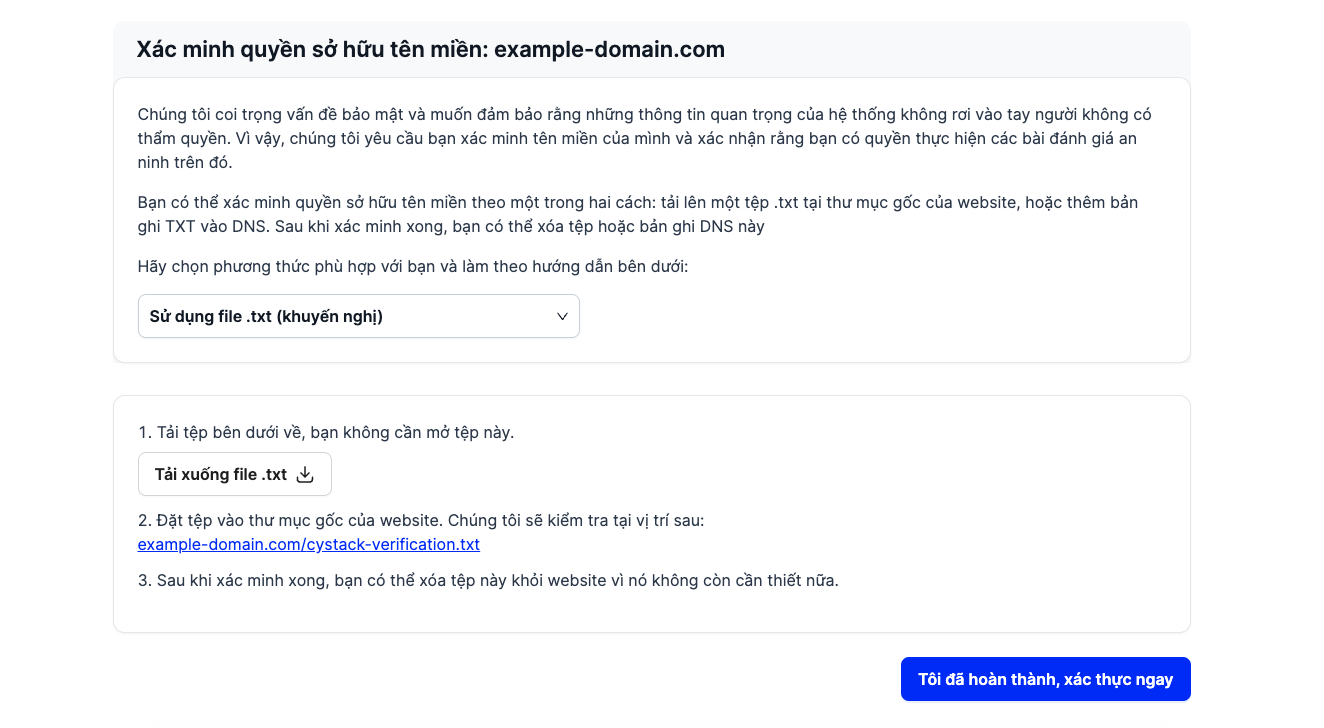
6
Scan process begins
If the verification is successful, the system will automatically start scanning the domain. You will receive an email notification when the scan is completed.
7
View results
Click the link in the email to open your scan report and review key security insights about your system.