> ## Documentation Index
> Fetch the complete documentation index at: https://docs.cystack.net/llms.txt
> Use this file to discover all available pages before exploring further.
# Access & traffic control
> Block by IP/country/ASN, rate limiting, and traffic redirects
Beyond blocking attacks by request content, CyStack WAF also lets you control **who** can access, **at what rate**, and how to **redirect** traffic. These three sets of tools help reduce automated attack load, protect sensitive endpoints, and manage user routing.
## Block by IP, country, and ASN
The **Block IP & country** section lets you allow or block traffic by origin, without building complex conditions.
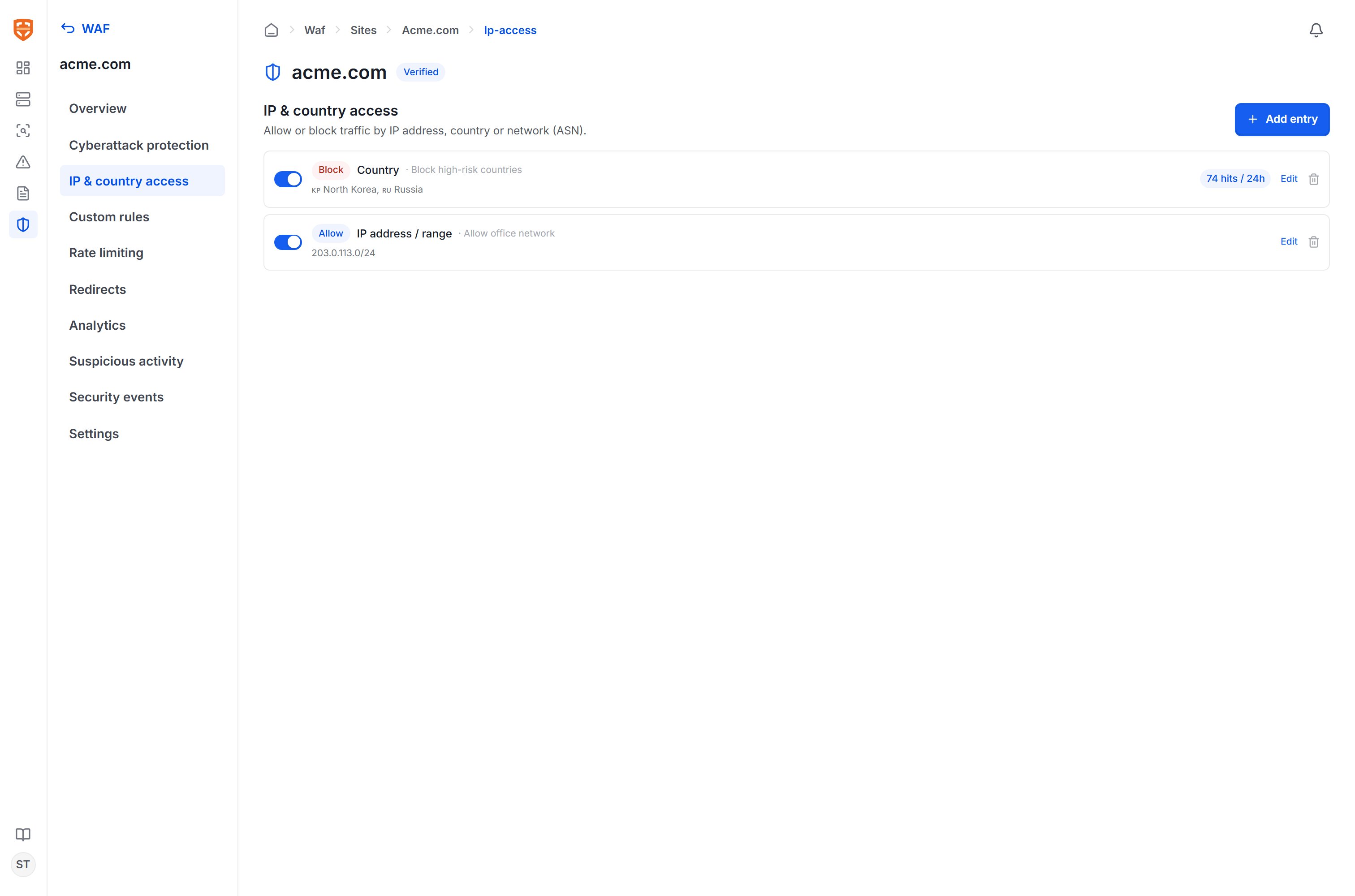 Each entry consists of:
| Component | Value |
| --------------- | -------------------------------------------------------------- |
| **Type** | IP address/range (CIDR), Country (ISO code), or Network (ASN). |
| **Value** | A list of IPs/CIDRs, a list of country codes, or an AS number. |
| **Action** | **Block** (blocklist) or **Allow** (allowlist). |
| **Description** | An optional label for easier management. |
A country picker (with flags) and an ASN search by organization name are available for fast entry.
Use **Allow** rules for your office network or trusted internal IP ranges, and **Block** for high-risk countries/ASNs that your organization does not serve. Each entry shows the number of matches in the last 24 hours so you can assess impact.
## Rate limiting
The **Rate limiting** section limits the number of requests a client can send within a time window, helping defend against login brute-force, API abuse, and automated scanning.
Each entry consists of:
| Component | Value |
| --------------- | -------------------------------------------------------------- |
| **Type** | IP address/range (CIDR), Country (ISO code), or Network (ASN). |
| **Value** | A list of IPs/CIDRs, a list of country codes, or an AS number. |
| **Action** | **Block** (blocklist) or **Allow** (allowlist). |
| **Description** | An optional label for easier management. |
A country picker (with flags) and an ASN search by organization name are available for fast entry.
Use **Allow** rules for your office network or trusted internal IP ranges, and **Block** for high-risk countries/ASNs that your organization does not serve. Each entry shows the number of matches in the last 24 hours so you can assess impact.
## Rate limiting
The **Rate limiting** section limits the number of requests a client can send within a time window, helping defend against login brute-force, API abuse, and automated scanning.
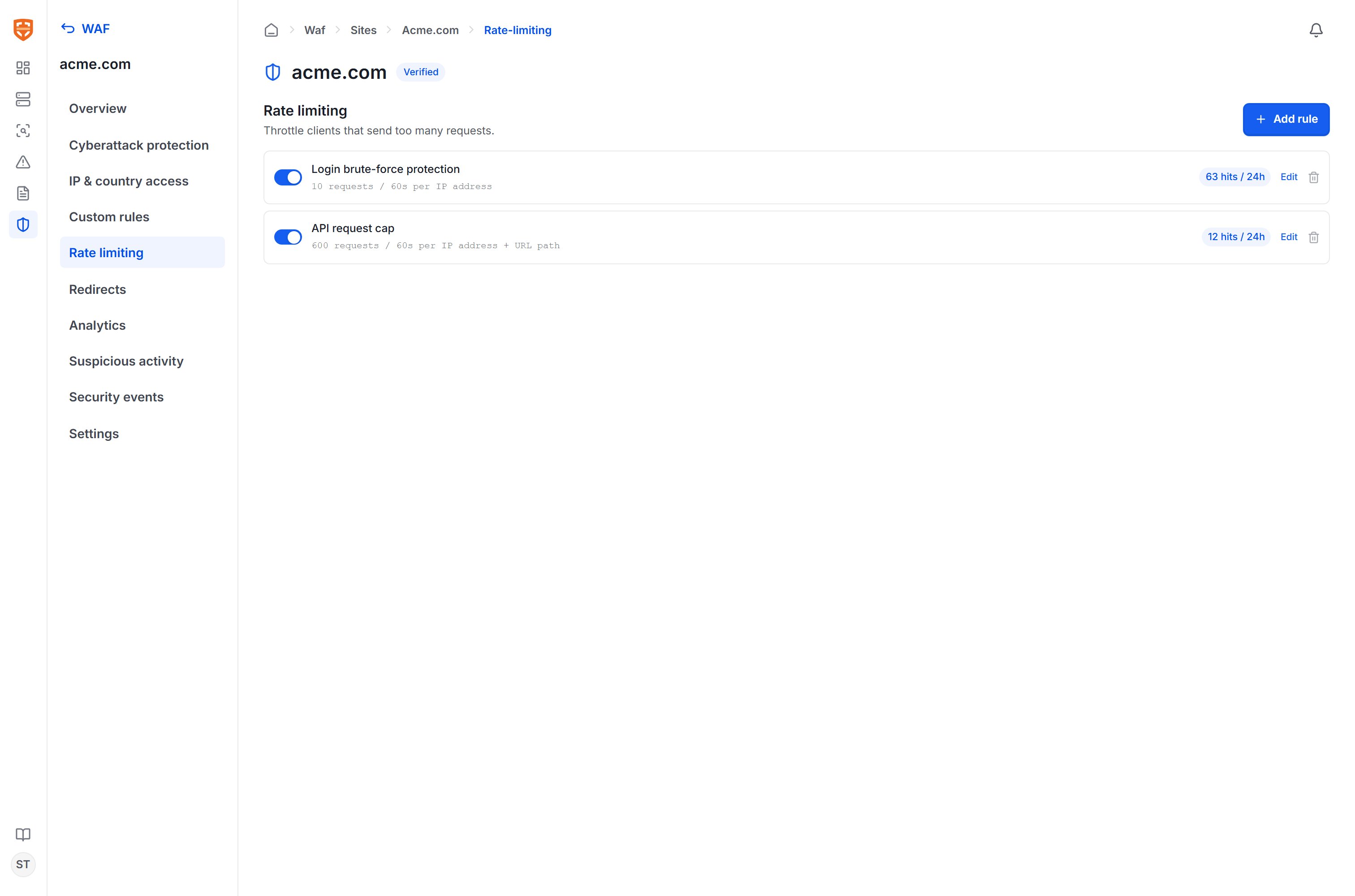 Each rule configures:
| Component | Description |
| ----------------- | ------------------------------------------------------------------------------------------------------- |
| **Name** | Describes the purpose of the rule. |
| **Apply to path** | Optional — only limit requests matching this path prefix (for example `/login`). |
| **Count by** | **IP address** (all paths for the same IP) or **IP + URL path** (each IP–path pair counted separately). |
| **Threshold** | The maximum number of requests within a time window, for example `10 requests / 60 seconds`. |
| **Action** | When the threshold is exceeded, return HTTP **429 (Too Many Requests)**. |
For example: a login brute-force protection rule limits `10 requests / 60s` per IP for the `/login` path; an API limiting rule allows `600 requests / 60s` per IP + path pair.
## Redirects
The **Redirects** section returns a redirect response for requests that match a condition — useful when moving old paths, consolidating domains, or enforcing access via a canonical path.
Each rule configures:
| Component | Description |
| ----------------- | ------------------------------------------------------------------------------------------------------- |
| **Name** | Describes the purpose of the rule. |
| **Apply to path** | Optional — only limit requests matching this path prefix (for example `/login`). |
| **Count by** | **IP address** (all paths for the same IP) or **IP + URL path** (each IP–path pair counted separately). |
| **Threshold** | The maximum number of requests within a time window, for example `10 requests / 60 seconds`. |
| **Action** | When the threshold is exceeded, return HTTP **429 (Too Many Requests)**. |
For example: a login brute-force protection rule limits `10 requests / 60s` per IP for the `/login` path; an API limiting rule allows `600 requests / 60s` per IP + path pair.
## Redirects
The **Redirects** section returns a redirect response for requests that match a condition — useful when moving old paths, consolidating domains, or enforcing access via a canonical path.
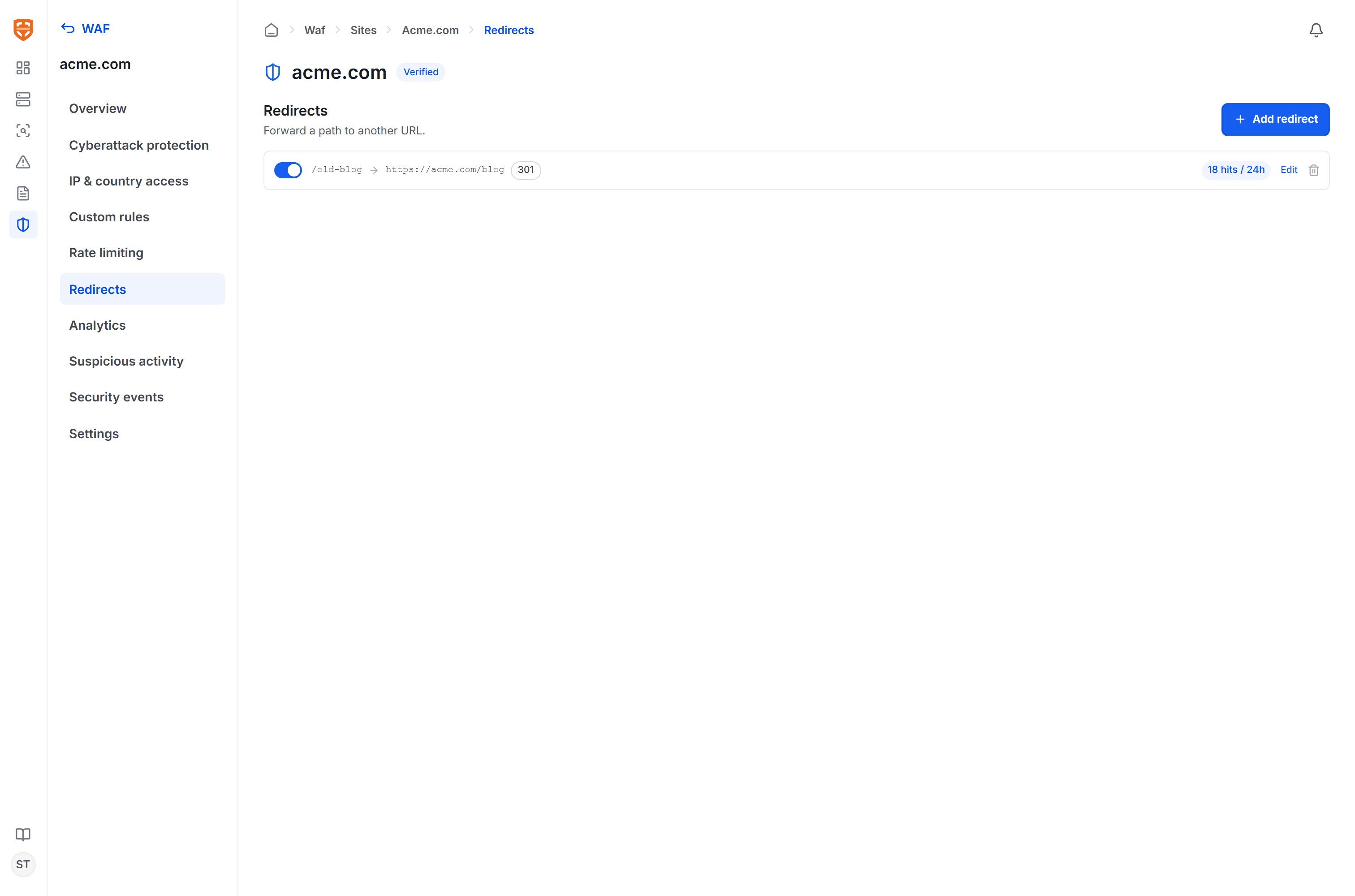 Each rule consists of:
| Component | Description |
| -------------------- | ------------------------------------------------------------------------------------------------------- |
| **Name** | Describes the purpose of the redirect. |
| **Match conditions** | The full set of conditions as in [custom rules](/en/vulnscan/waf-rules) (by path, query, header, etc.). |
| **Redirect to** | The destination URL, absolute or relative. There is an option to **preserve the query string**. |
| **Status code** | 301 (permanent), 302 (temporary), 307, or 308 per the HTTP standard. |
Redirects are handled right at the edge layer before the request reaches the origin, so they take effect even when the origin application has not been updated.
## Working with protection rules
The tools above operate alongside the [OWASP ruleset and custom rules](/en/vulnscan/waf-rules). On the [monitoring](/en/vulnscan/waf-monitoring) page, each blocked event indicates which group blocked it — the managed ruleset, a custom rule, rate limiting, or access control — helping you cross-reference and tune precisely.
Each rule consists of:
| Component | Description |
| -------------------- | ------------------------------------------------------------------------------------------------------- |
| **Name** | Describes the purpose of the redirect. |
| **Match conditions** | The full set of conditions as in [custom rules](/en/vulnscan/waf-rules) (by path, query, header, etc.). |
| **Redirect to** | The destination URL, absolute or relative. There is an option to **preserve the query string**. |
| **Status code** | 301 (permanent), 302 (temporary), 307, or 308 per the HTTP standard. |
Redirects are handled right at the edge layer before the request reaches the origin, so they take effect even when the origin application has not been updated.
## Working with protection rules
The tools above operate alongside the [OWASP ruleset and custom rules](/en/vulnscan/waf-rules). On the [monitoring](/en/vulnscan/waf-monitoring) page, each blocked event indicates which group blocked it — the managed ruleset, a custom rule, rate limiting, or access control — helping you cross-reference and tune precisely.