> ## Documentation Index
> Fetch the complete documentation index at: https://docs.cystack.net/llms.txt
> Use this file to discover all available pages before exploring further.
# Screenshot Blocking
> Guide to using the screenshot blocking feature
**Use Case**
* Prevents employees from capturing screenshots of sensitive documents to share externally, thereby mitigating the risk of unauthorized data exfiltration.
## Configuration Workflow
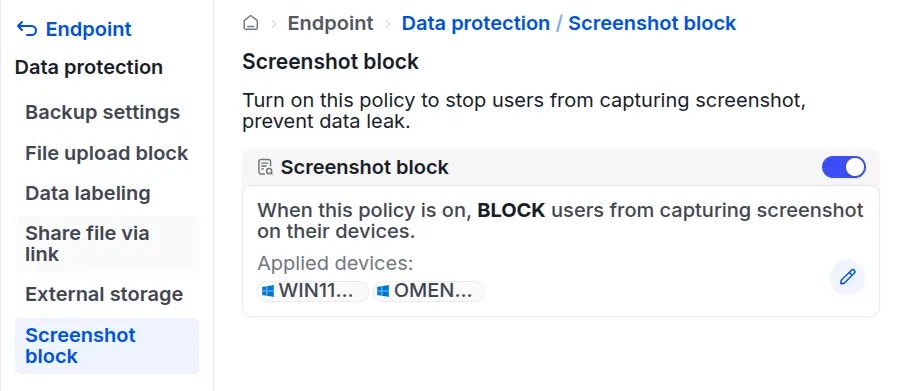
Navigate to **Endpoint** {'\u2192'} **Data protection** {'\u2192'} **Screenshot block**.} />
Toggle the switch next to **Screenshot block** to enable the feature:}>
 A configuration window will appear, prompting you to select the target devices for this restriction:}>
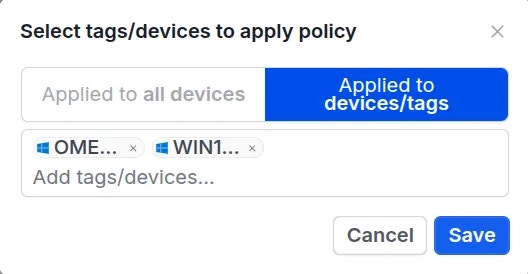 Choose to apply the policy to **All devices** or select specific devices, then click
 Save.} />
Once saved, the policy status will update to active.}>
The screen capture functionality will be disabled on the selected devices.