> ## Documentation Index
> Fetch the complete documentation index at: https://docs.cystack.net/llms.txt
> Use this file to discover all available pages before exploring further.
# Block Data Transfer via External Storage
> Guide to blocking data transfers on external storage devices
**Use Cases**
* Prevent unauthorized exfiltration of sensitive corporate data via external USB drives.
* Mitigate the risk of malware introduction from unmanaged or infected external storage devices.
## Configuration Workflow
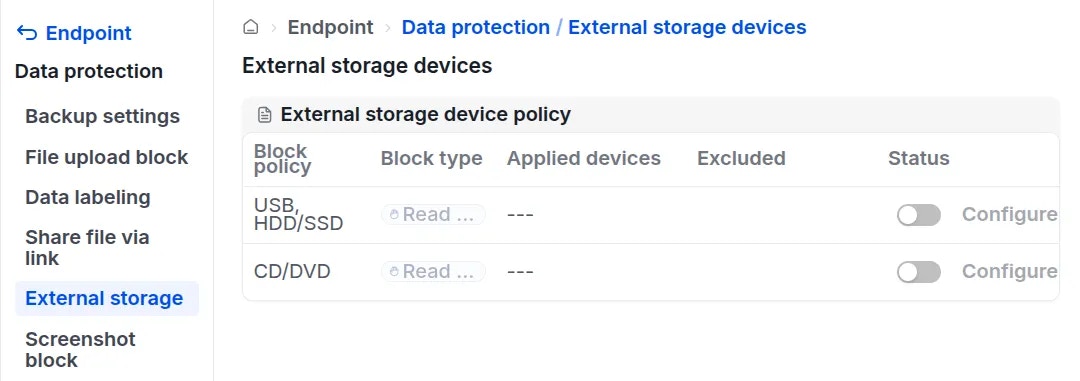
Navigate to "Endpoint" {'\u2192'} "Data protection" {'\u2192'} "External storage".} />
To restrict USB, HDD/SSD, or CD/DVD usage, toggle the Status switch for the corresponding device type.}>
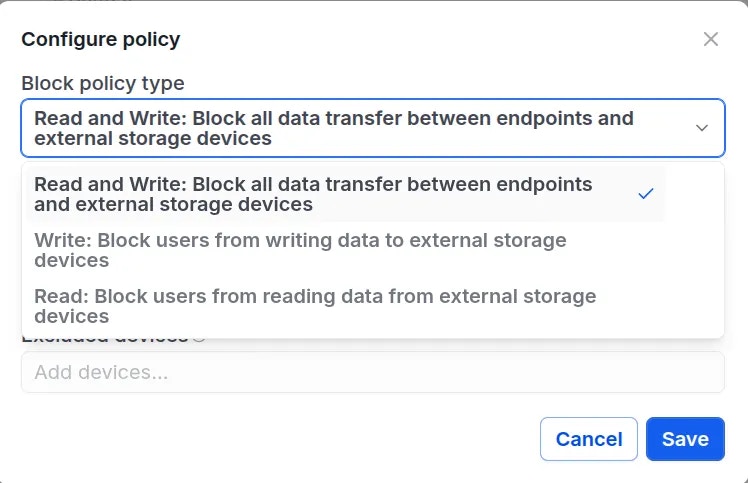
 Configure the blocking permissions:}>
In the pop-up window, select the desired restriction level:
* **Read:** Prevents the endpoint from reading data from the external storage device. Users can still write data to the device.
* **Write:** Prevents users from writing data to the external storage device. Users can still read data from the device.
* **Read and Write:** Blocks all bidirectional data transfer between the endpoint and the external storage device.
Configure the blocking permissions:}>
In the pop-up window, select the desired restriction level:
* **Read:** Prevents the endpoint from reading data from the external storage device. Users can still write data to the device.
* **Write:** Prevents users from writing data to the external storage device. Users can still read data from the device.
* **Read and Write:** Blocks all bidirectional data transfer between the endpoint and the external storage device.
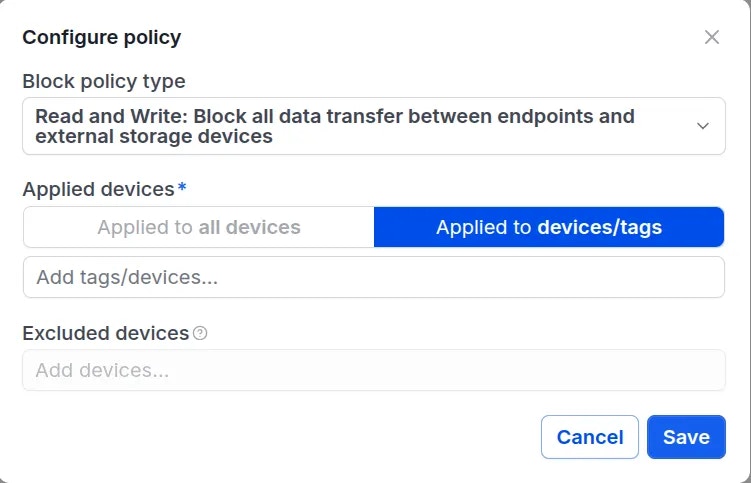
 Select the target devices or device groups (by tag) to enforce the policy. Specific devices can also be excluded from the policy scope if necessary.}>
 Click
Click Save to apply the configuration. The specified restrictions will be enforced on the selected endpoints immediately.} />
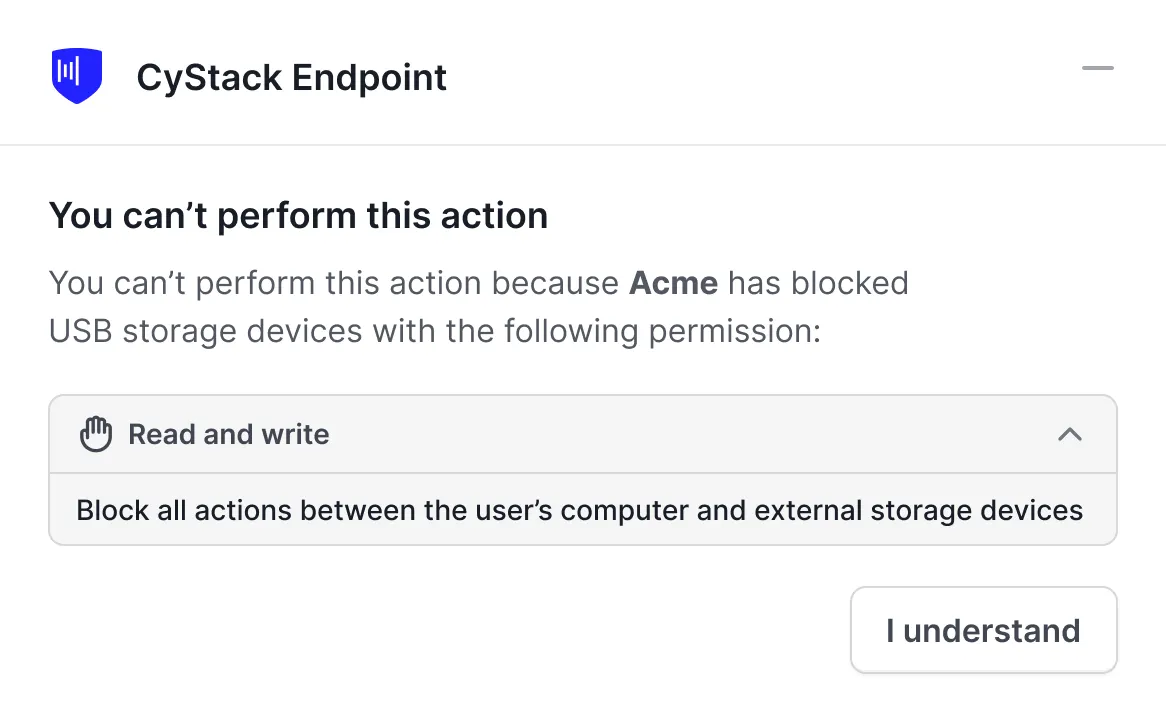
When a user attempts to connect an external storage device (e.g., a USB drive) to a managed endpoint, a system notification will appear indicating that access is restricted:}>