> ## Documentation Index
> Fetch the complete documentation index at: https://docs.cystack.net/llms.txt
> Use this file to discover all available pages before exploring further.
# Department Management
> Guide to using the department management feature
**Use Cases**
* **Department-based policy enforcement:** Assign employees to specific departments to facilitate the setup and application of granular security policies tailored to organizational units.
* **Enforce the principle of least privilege:** Restrict permissions based on departmental roles to minimize the risk of sensitive data exposure and mitigate the impact of potential account compromises.
## Create a Department
From the left sidebar menu, navigate to "Endpoint" {'\u2192'} "Directory" {'\u2192'} "Departments".} />
Hover over the workspace name and select the {'\uFF0B'} icon.} />
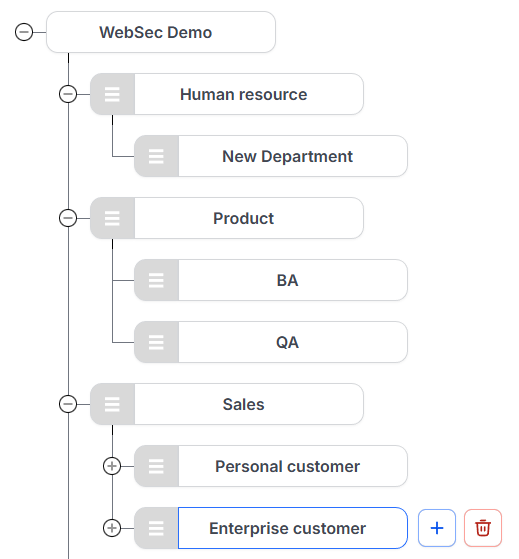
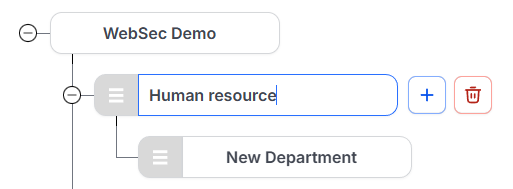 To add a sub-department or create a new department under a specific branch, hover over the parent department and select the
 {'\uFF0B'} icon.}>
 ***
## Rearrange Departments
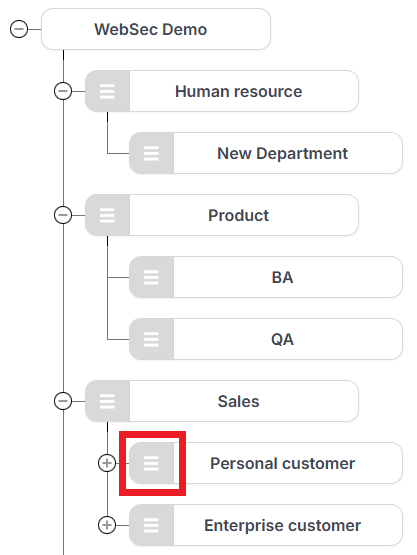
To change the order or hierarchy of departments, click and hold the
***
## Rearrange Departments
To change the order or hierarchy of departments, click and hold the {'\u2630'} icon next to the specific department {'\u2192'} drag and drop it to the desired location.