> ## Documentation Index
> Fetch the complete documentation index at: https://docs.cystack.net/llms.txt
> Use this file to discover all available pages before exploring further.
# File Editing and Sharing History
> Guide to using the File editing and sharing feature
## Monitoring File Activity
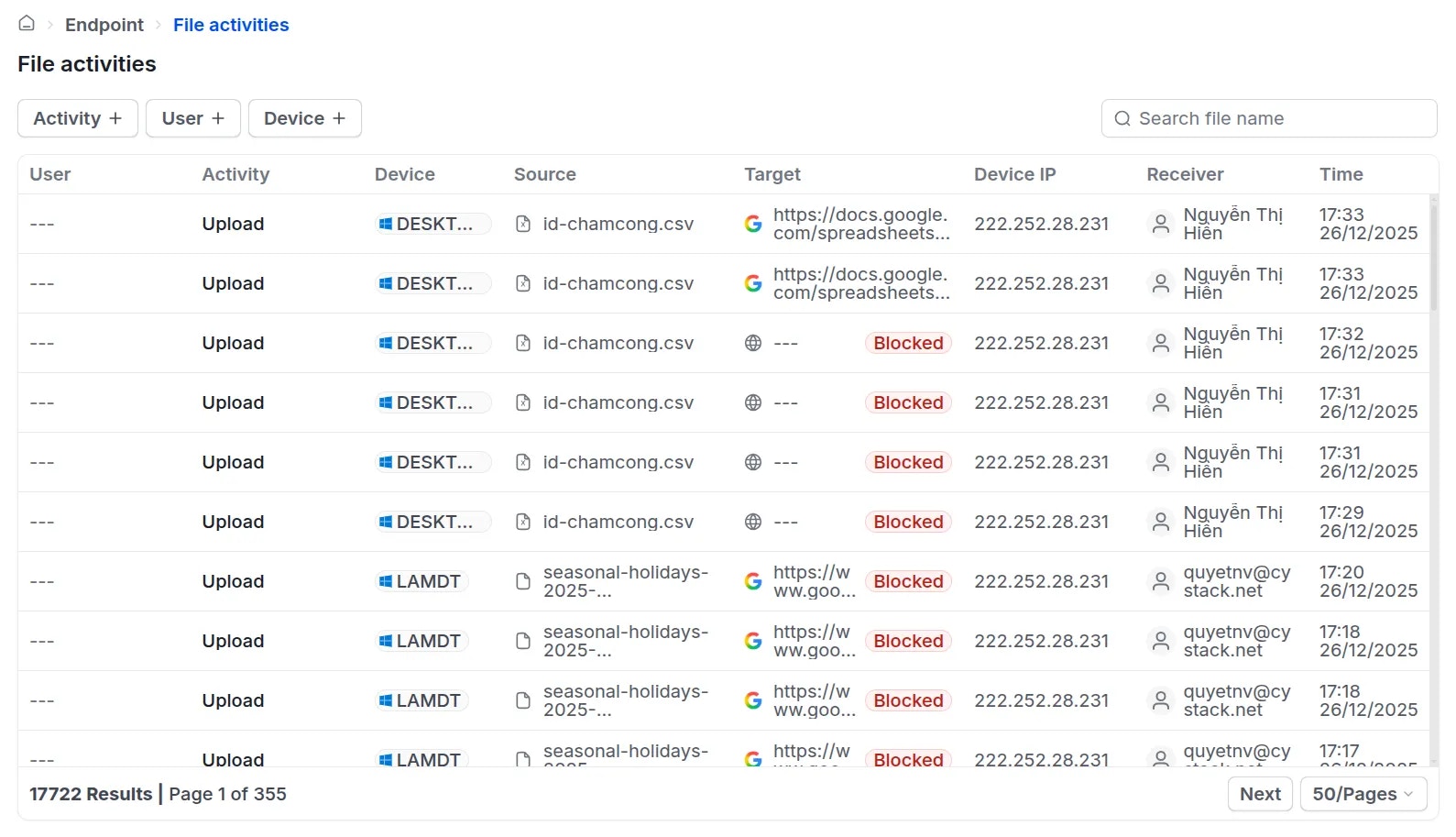
To monitor file editing and sharing activities, administrators can navigate to **Endpoint** {'\u2192'} **Activity logs** {'\u2192'} **File activities**.
The system records the following details:
* User, action performed, modified/shared file, and device IP address.
For file sharing activities:
* If a user attempts to share a file via an application restricted by the established policy, the system will display a Blocked tag next to that specific activity.
 ## Advanced Settings: File Receiver Tracking
This feature enables administrators to identify the receiver of a shared file and the platform used for the transmission. Currently, the solution supports recipient tracking for files sent via `Zalo (web, desktop app)`, `Gmail (web)`, and `Outlook (web)`.
To enable this feature, navigate to **Activity logs** {'\u2192'} **Settings** and turn on the
## Advanced Settings: File Receiver Tracking
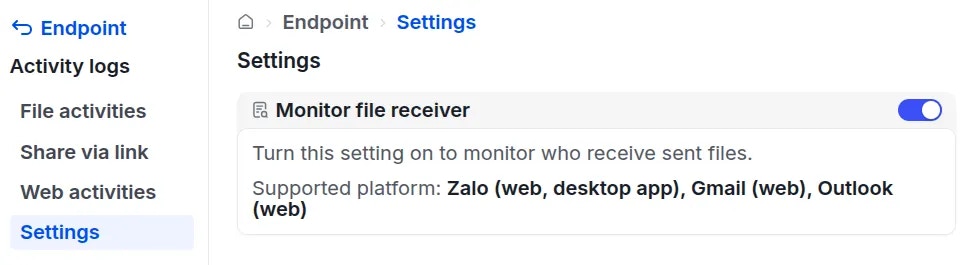
This feature enables administrators to identify the receiver of a shared file and the platform used for the transmission. Currently, the solution supports recipient tracking for files sent via `Zalo (web, desktop app)`, `Gmail (web)`, and `Outlook (web)`.
To enable this feature, navigate to **Activity logs** {'\u2192'} **Settings** and turn on the Monitor file receiver switch.
 Once enabled, whenever a user shares files through the supported channels, the receiver's information will be recorded in the **File activities** log.